DrawMode

Give your AI agents diagramming superpowers. Design, analyze & refactor in a low-friction visual editor.

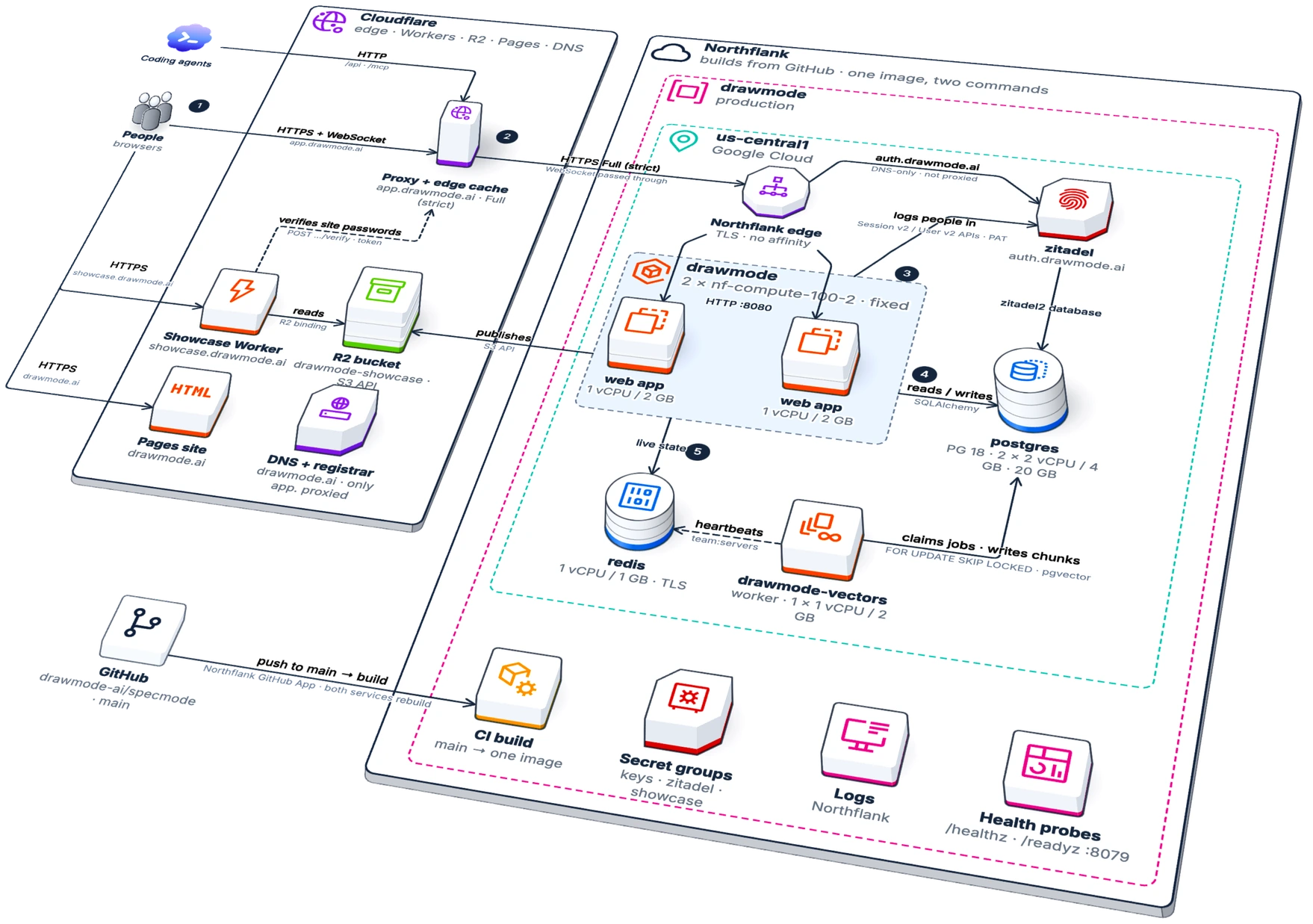
AI-native diagrams
DrawMode's own web deployment, drawn in DrawMode as an isometric cloud diagram: people and coding agents through Cloudflare's edge to Northflank, with the web app replicas, Postgres, Redis, the vectors worker and Zitadel sign-in

Collaboration-first visual editor

  • Use the notations you like and understand29 diagram types including full UML & C4, isometric cloud diagrams, powerful freeform shape editor, and UI mockups
  • Publication quality diagrams
  • Web or desktop, same powerful, AI-native editor
  • Desktop + Git · Seamless diagram merges
  • Imports & exports Mermaid & PlantUML

Built from the ground up for AI Agents

  • MCP for Claude Code, Codex, DeepSeek Harness, Pi, OpenCode & more
  • Agents understand your models and all diagram types

Built from the ground up for AI Agents

See and refactor your architecture with a prompt.

Connect Claude Code, Codex, DeepSeek Harness, Pi or OpenCode via MCP and your agentic coding assistants see and understand your models. Understand what the AI is building, ask questions and get beautiful diagrams back explaining your system.

See agent workflows →
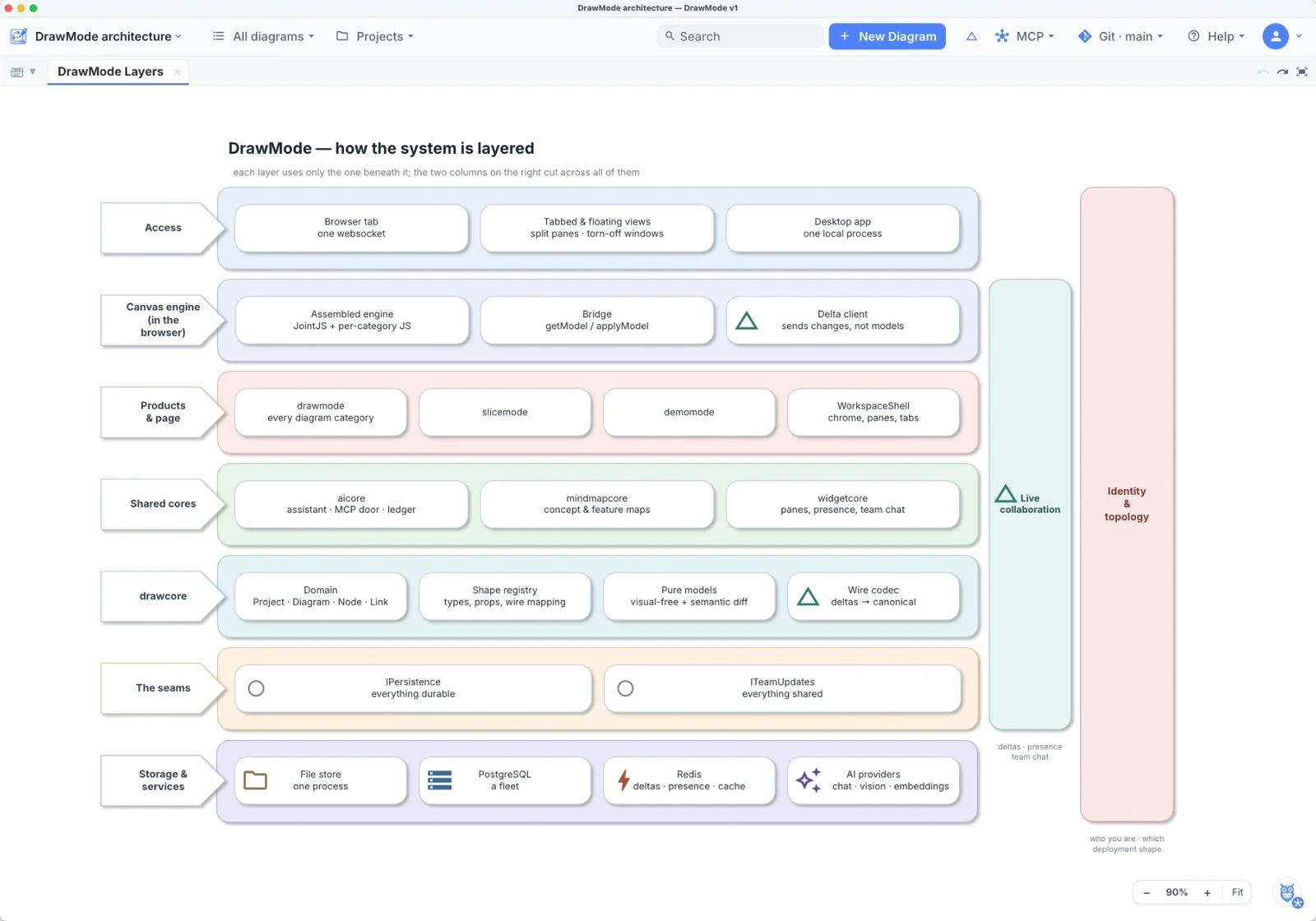
Generated with one prompt: DrawMode showing a layer diagram of how it is built: access, the canvas engine, the products, the shared cores, drawcore, the seams and storage, with live collaboration and identity cutting across them
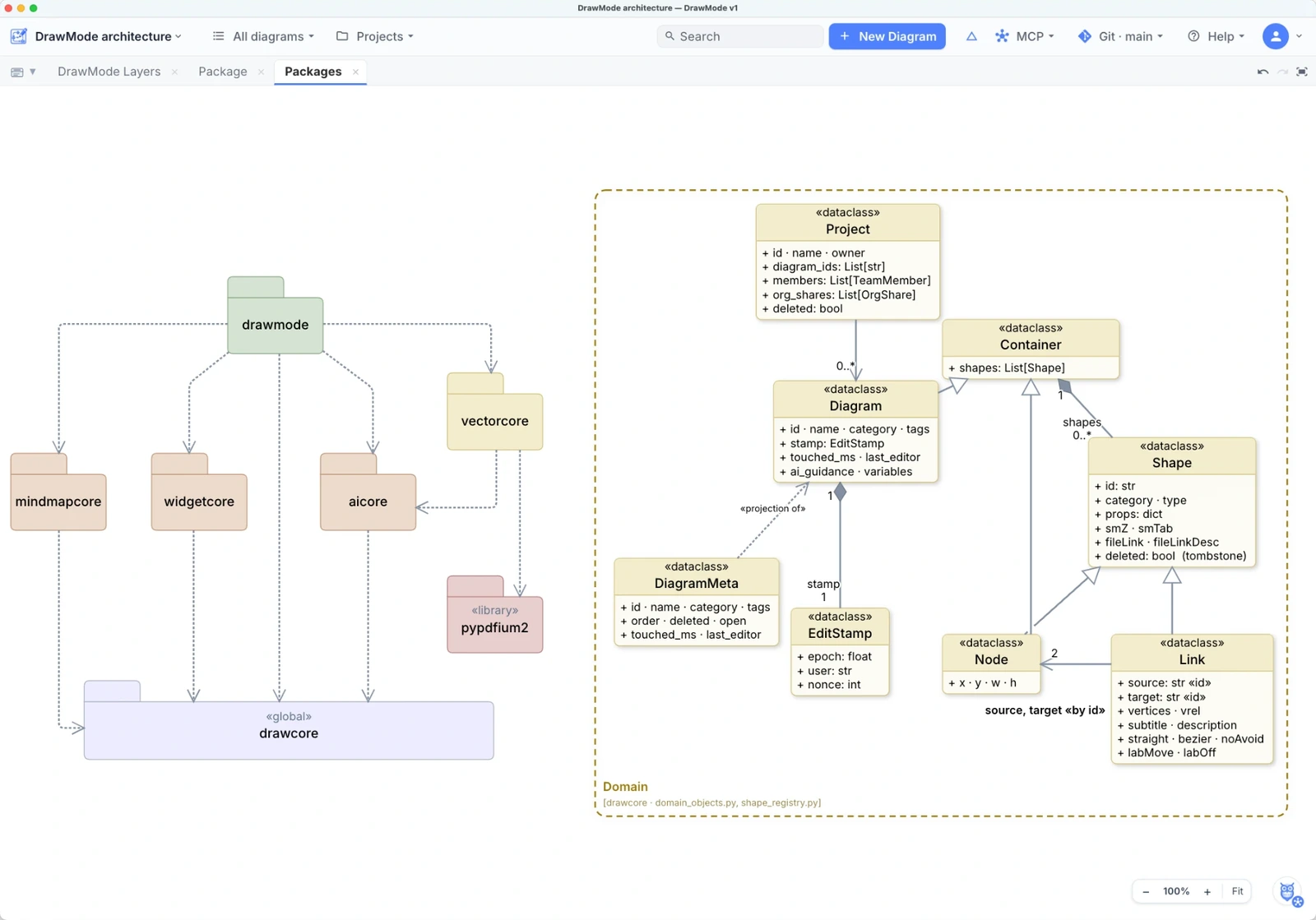
DrawMode showing its own architecture: a UML package diagram — drawmode over mindmapcore, widgetcore, aicore and vectorcore, all resting on drawcore, with vectorcore using the pypdfium2 library — beside the domain model of Project, Diagram, Container, Shape, Node and Link, with DiagramMeta and EditStamp
Scalable from architecture to deep code

Draw to understand, document & explain.

Create beautiful architecture, behavior, data, and UI diagrams in the notations you know. Draw from the palette, or hold Shift for the right action at the right time. DrawMode derives the model as you work.

See diagram types →
Powerful visual IDE

Teams and agents collaborate to guide your architecture.

Explore your architecture, codebase and flows together with agents. Draw your architecture and ask the agents to implement.
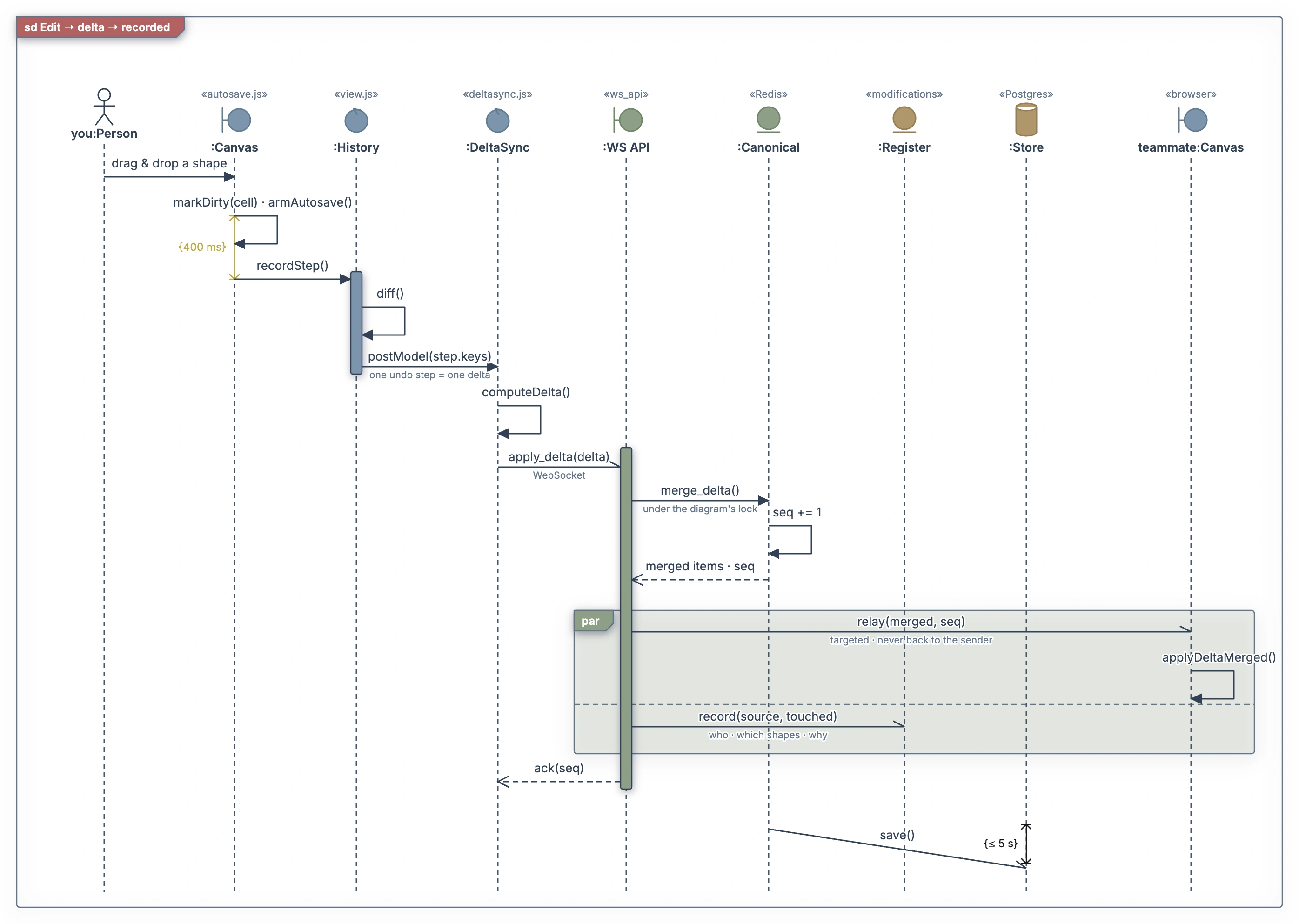
A UML sequence diagram of one edit becoming a delta: the canvas's debounce, one undo step, the delta sent over the WebSocket, merged, relayed to a teammate and recorded in the register, then saved