Built for software thinking.
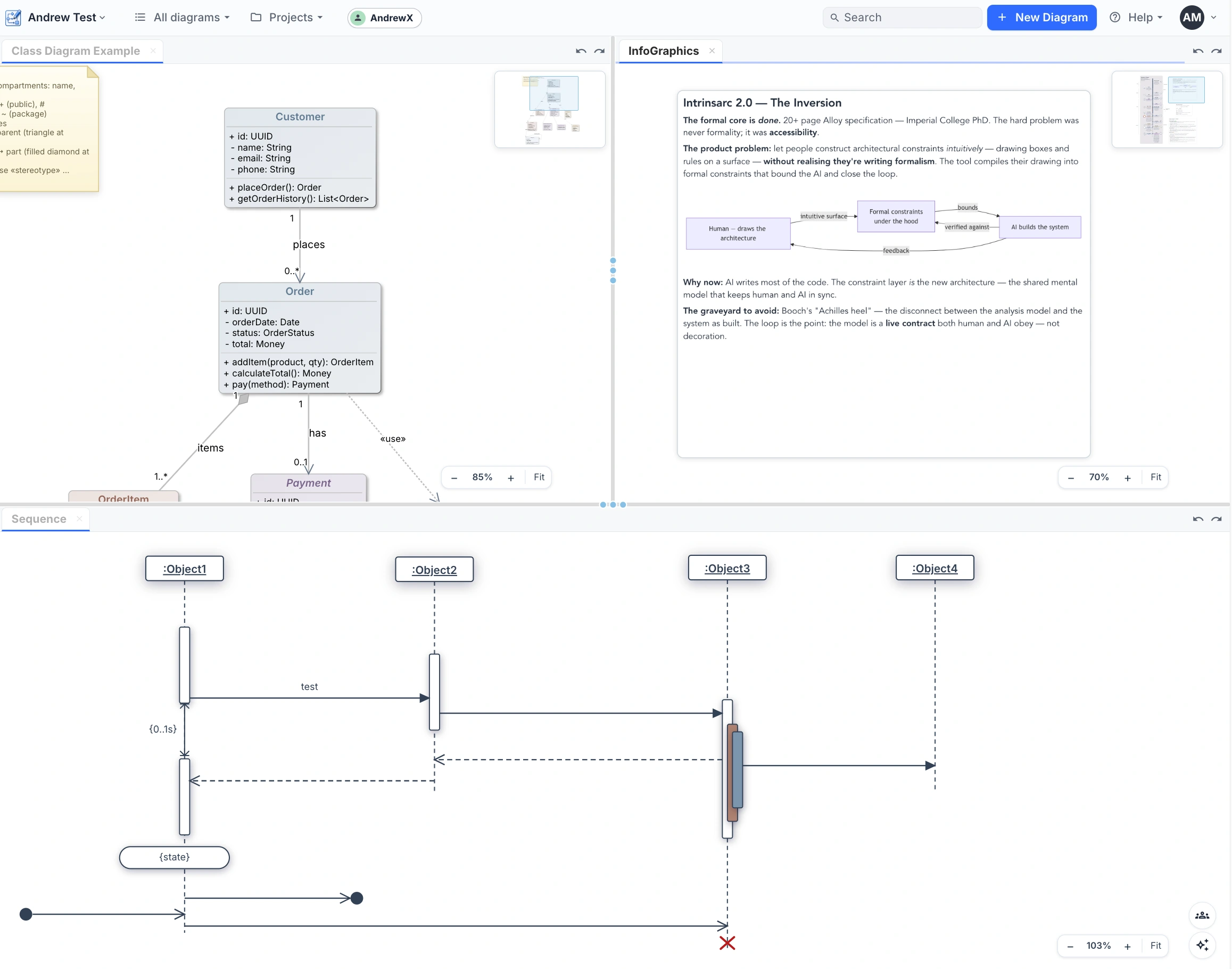
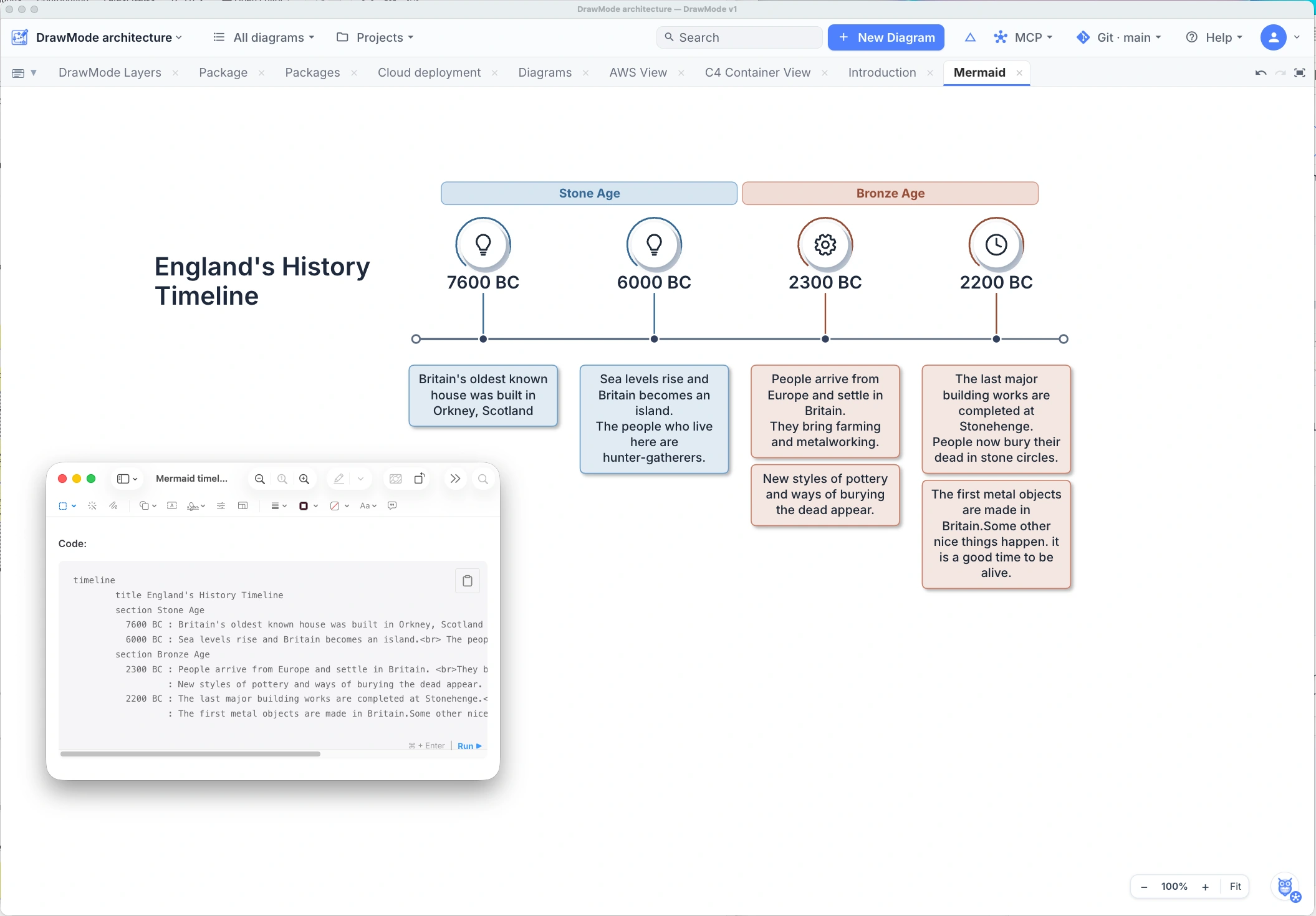
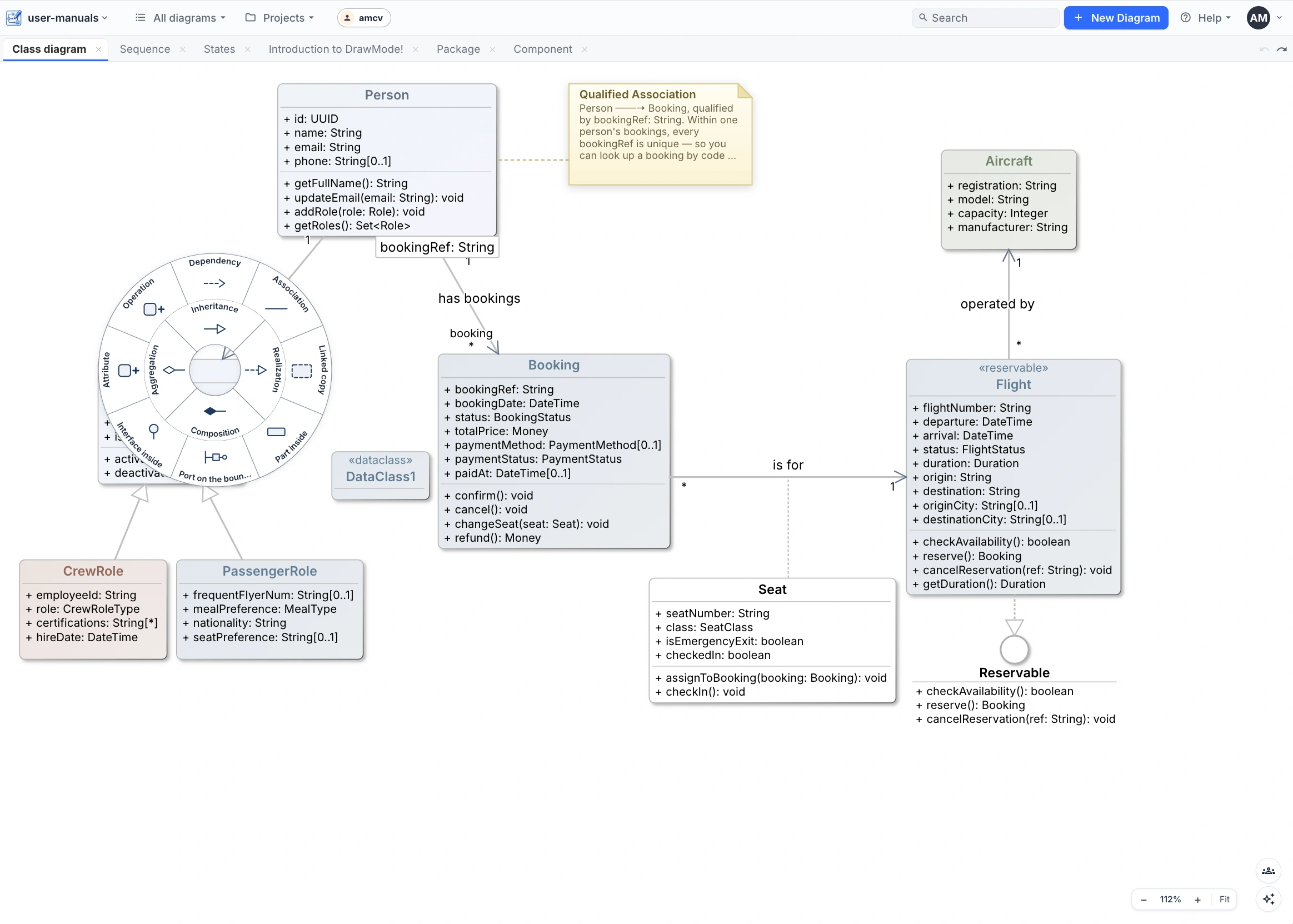
All the diagram types, all drawn with one low-friction gesture language: mind maps, timelines, the working set of UML 2, the eight C4 views, cloud architectures, database schemas, BPMN processes, flowcharts, feature models and UI mockups. One page can mix categories freely — classes beside mind maps beside free shapes.
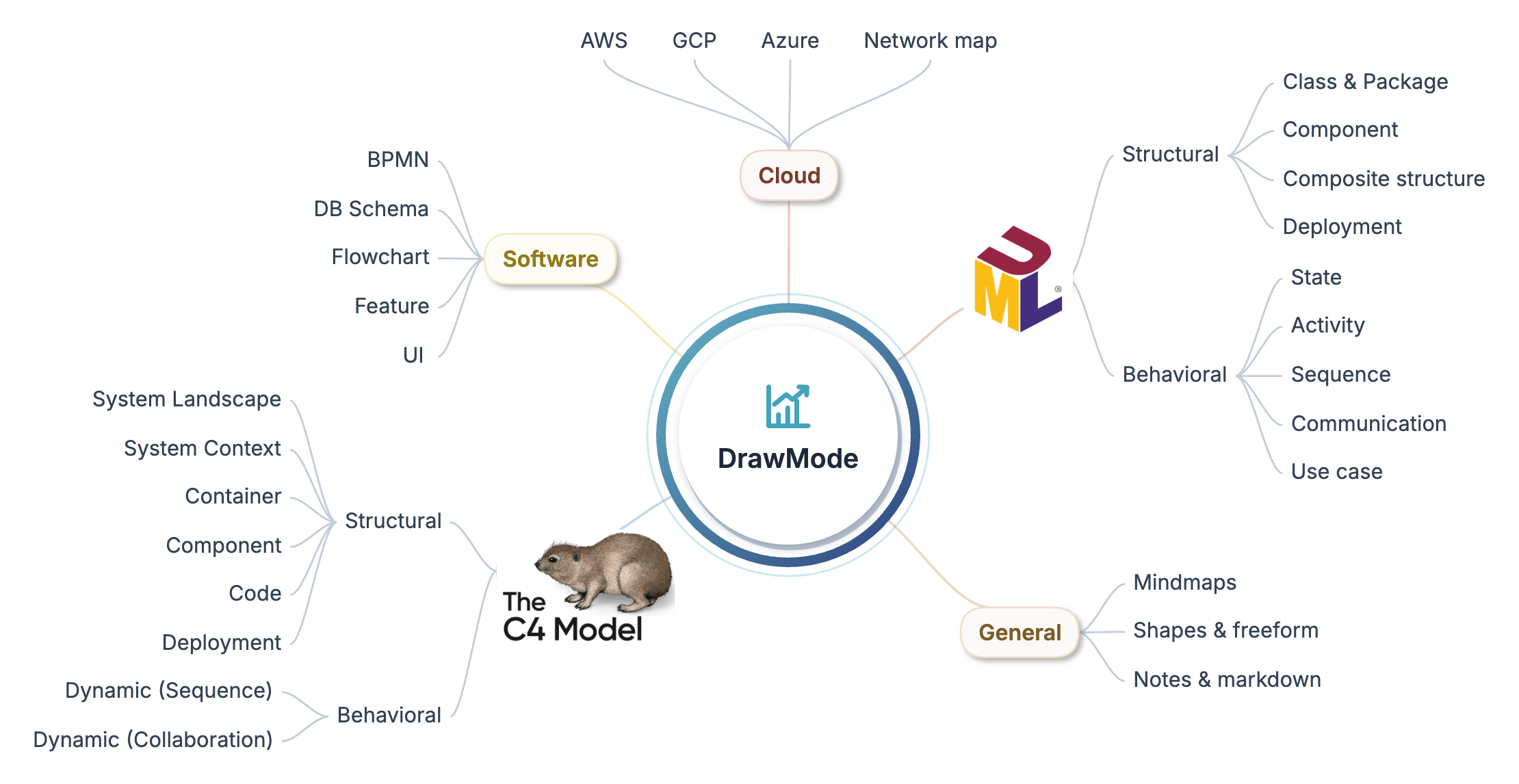
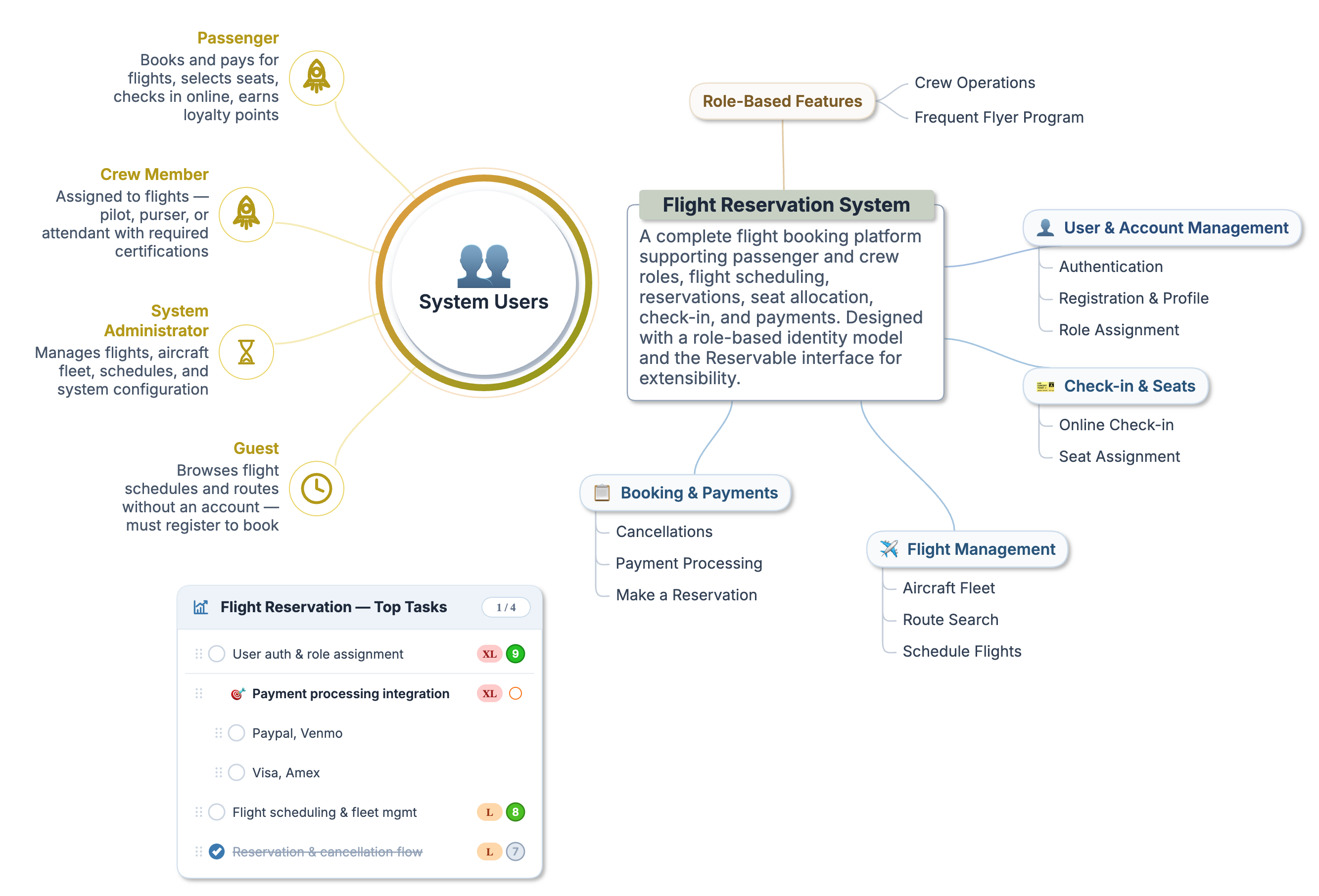
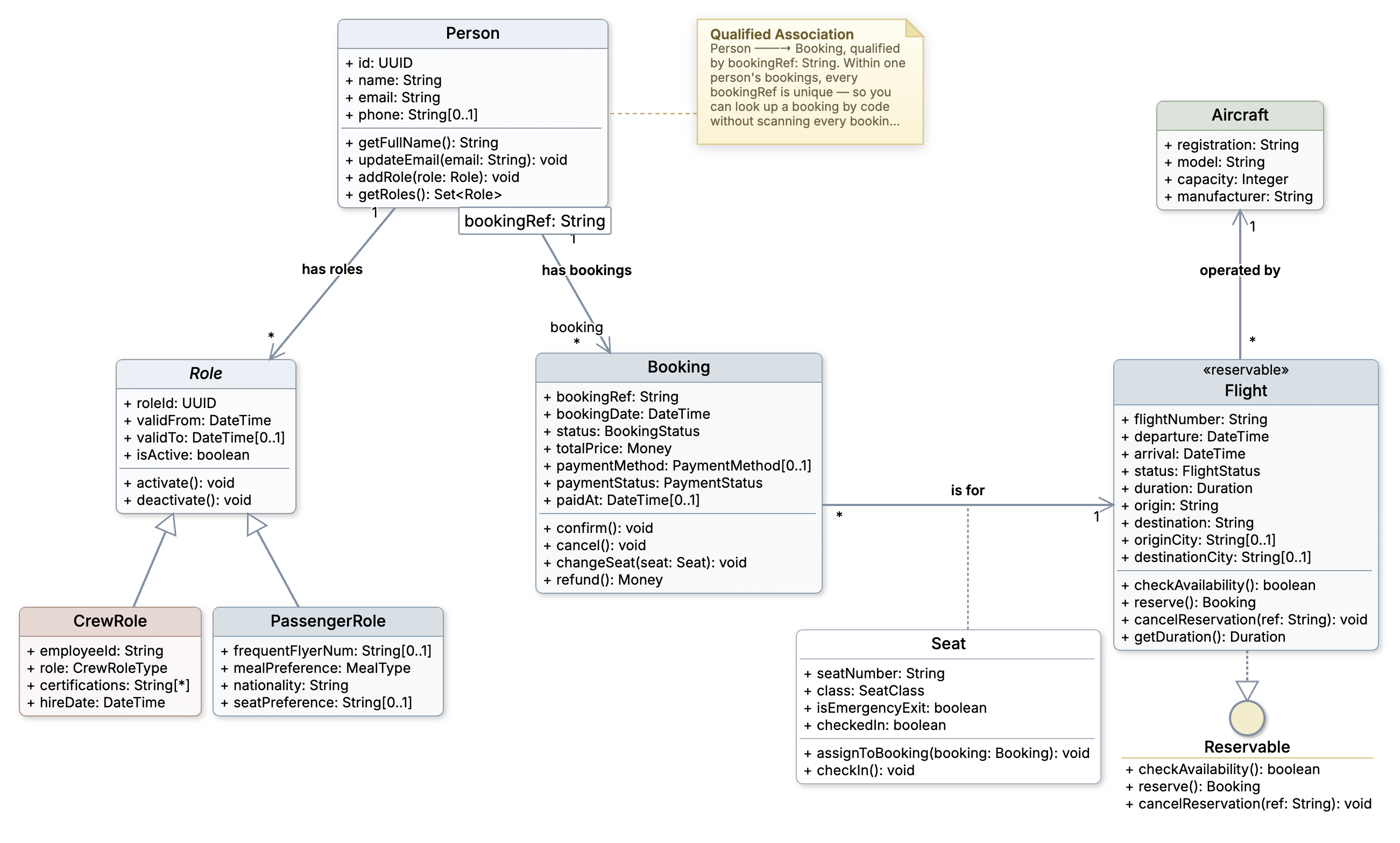
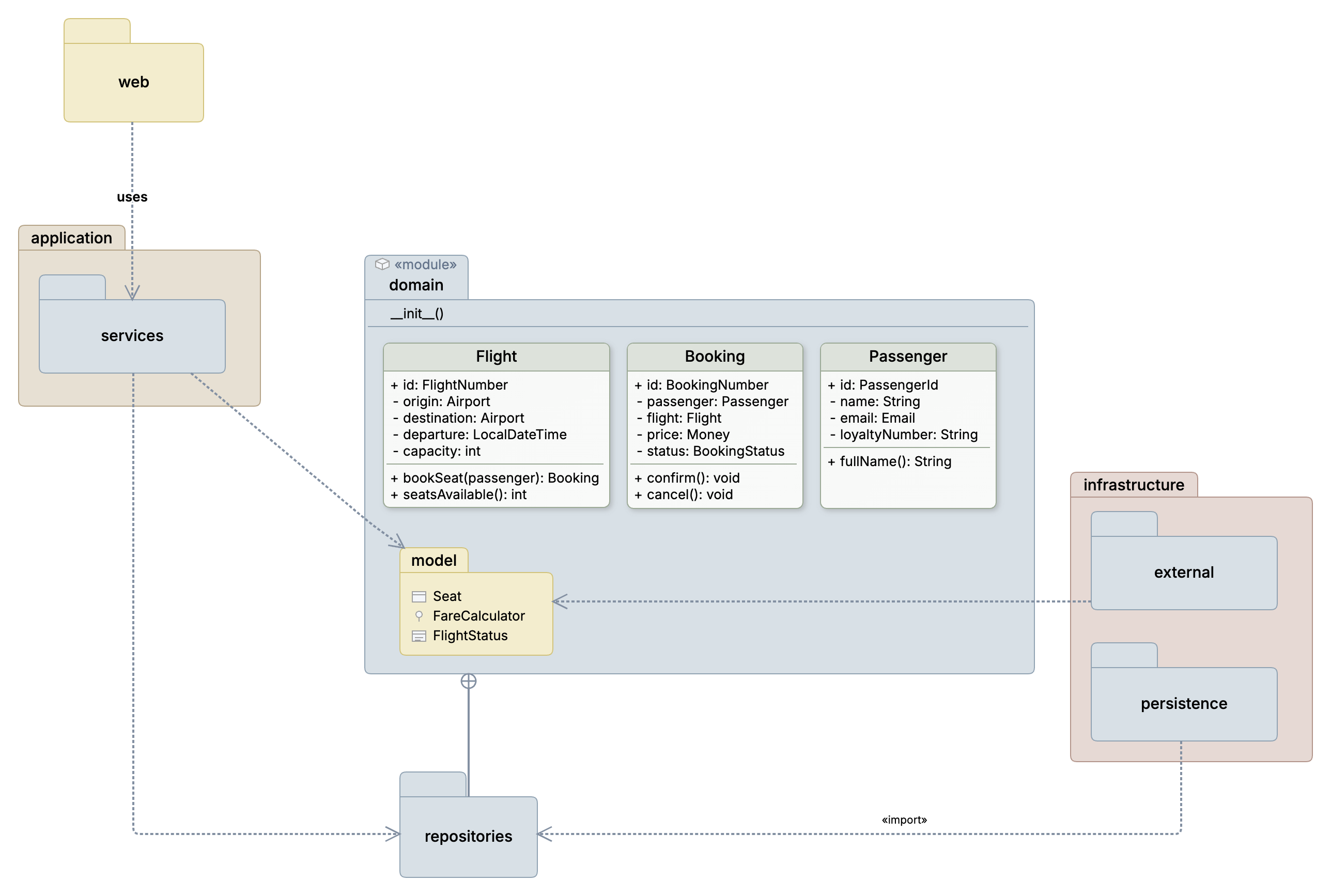
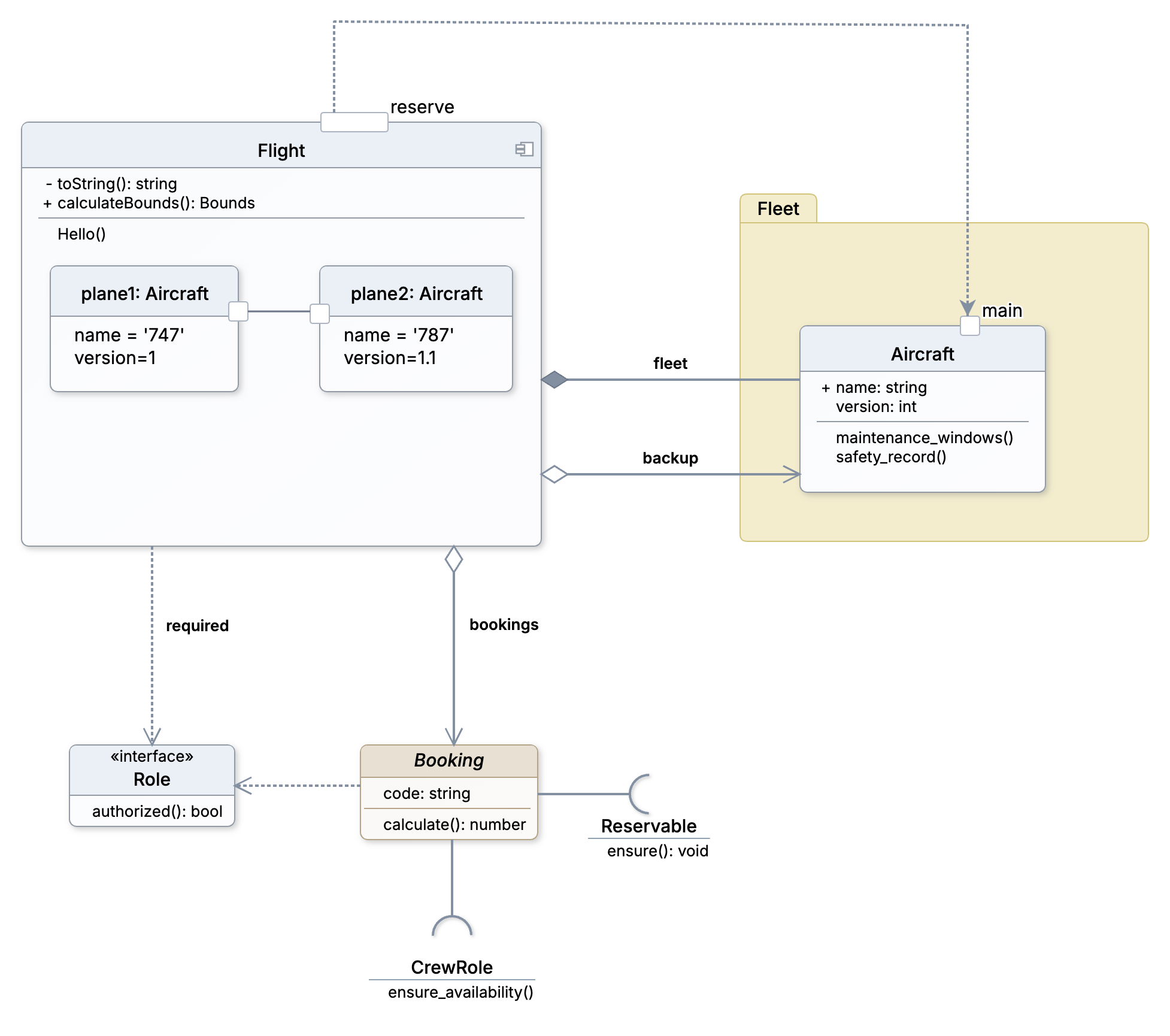
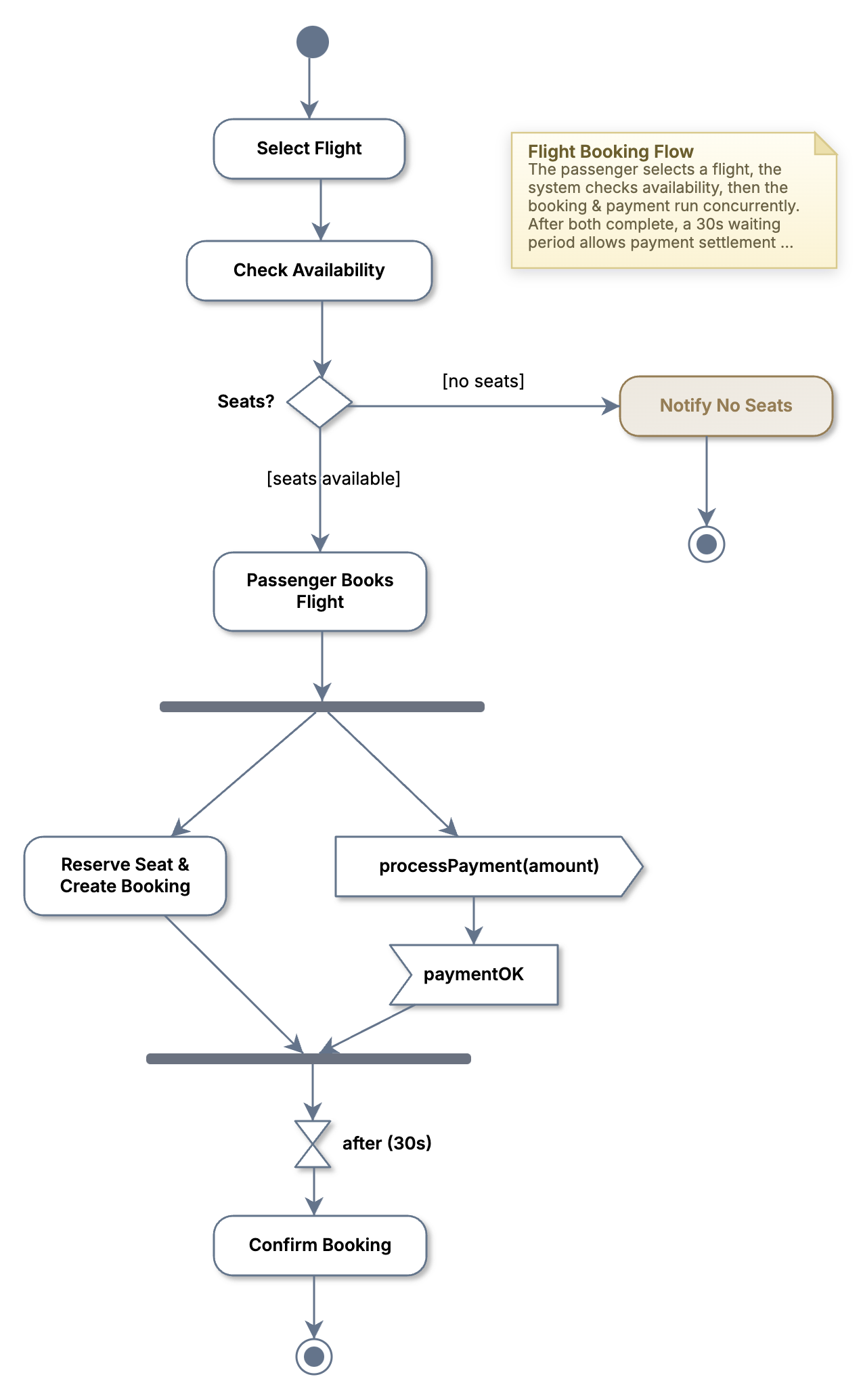
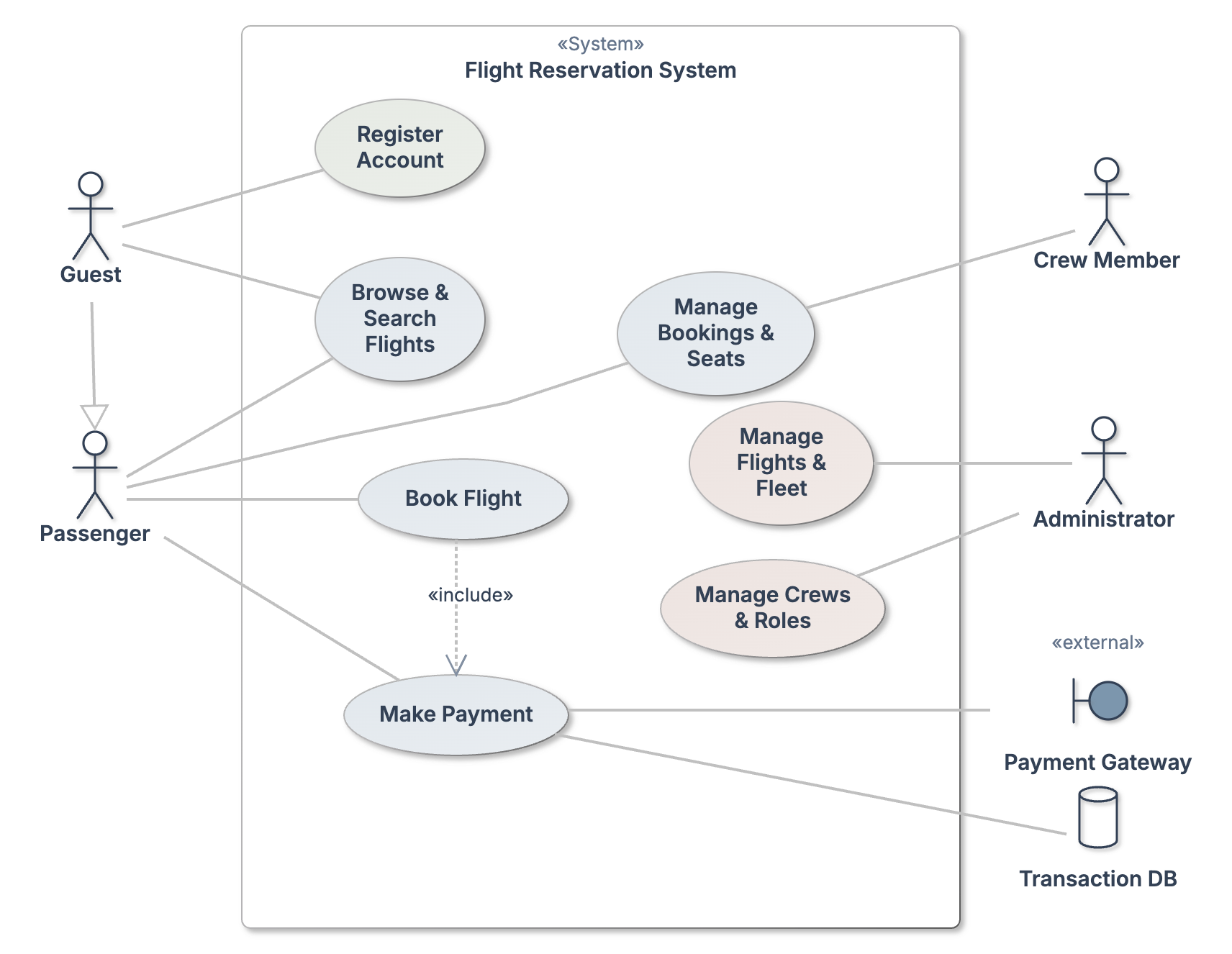
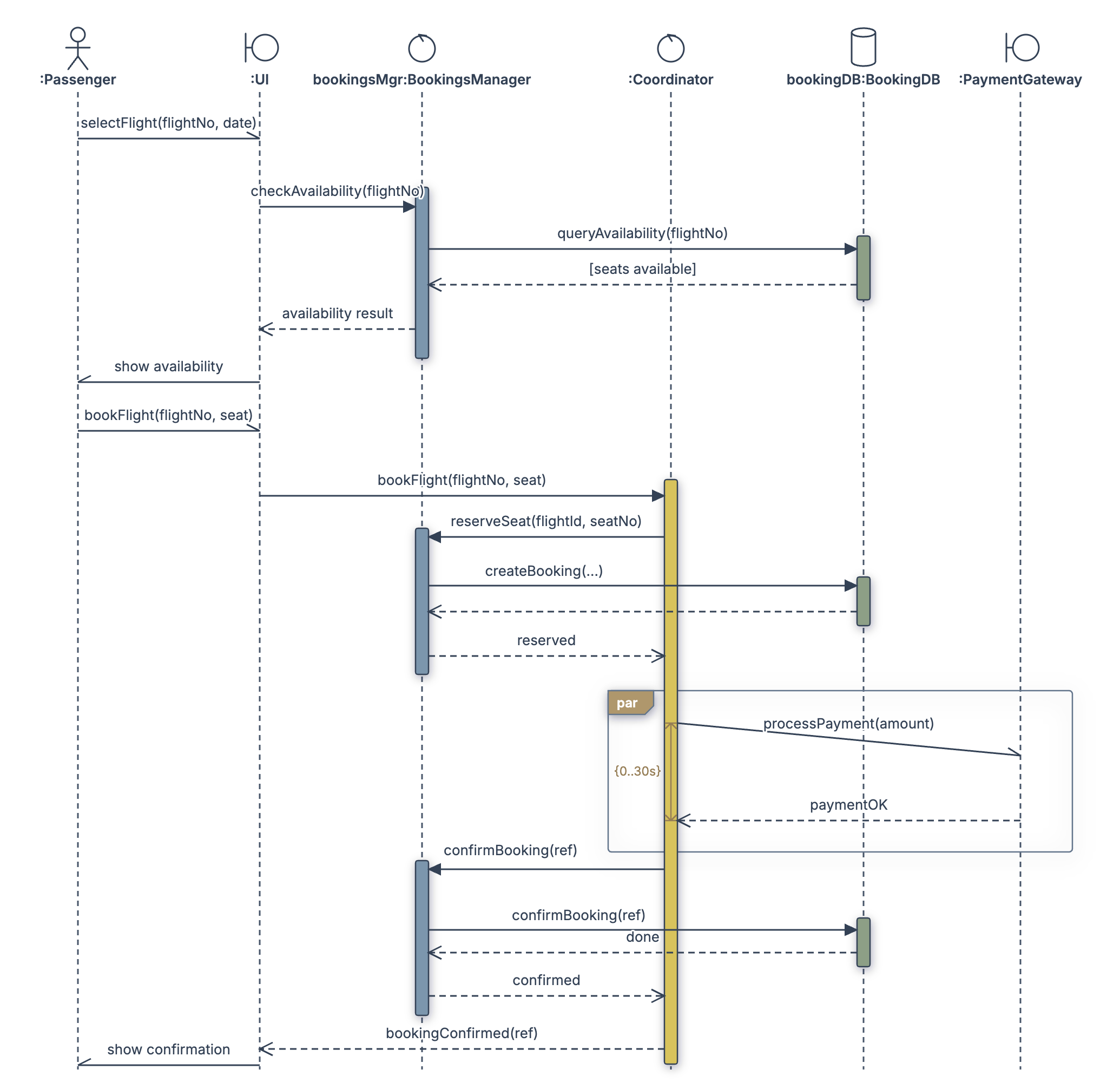
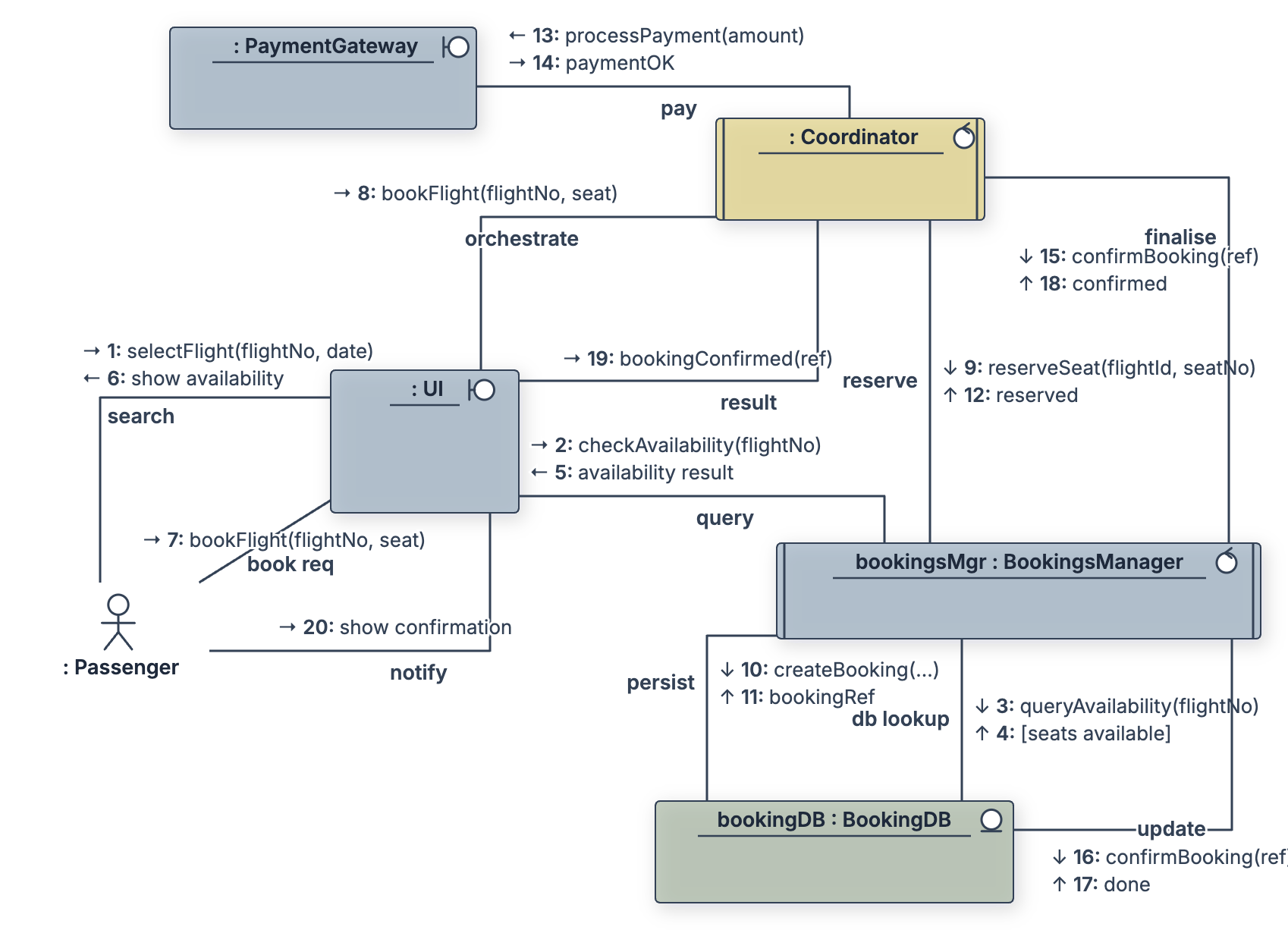
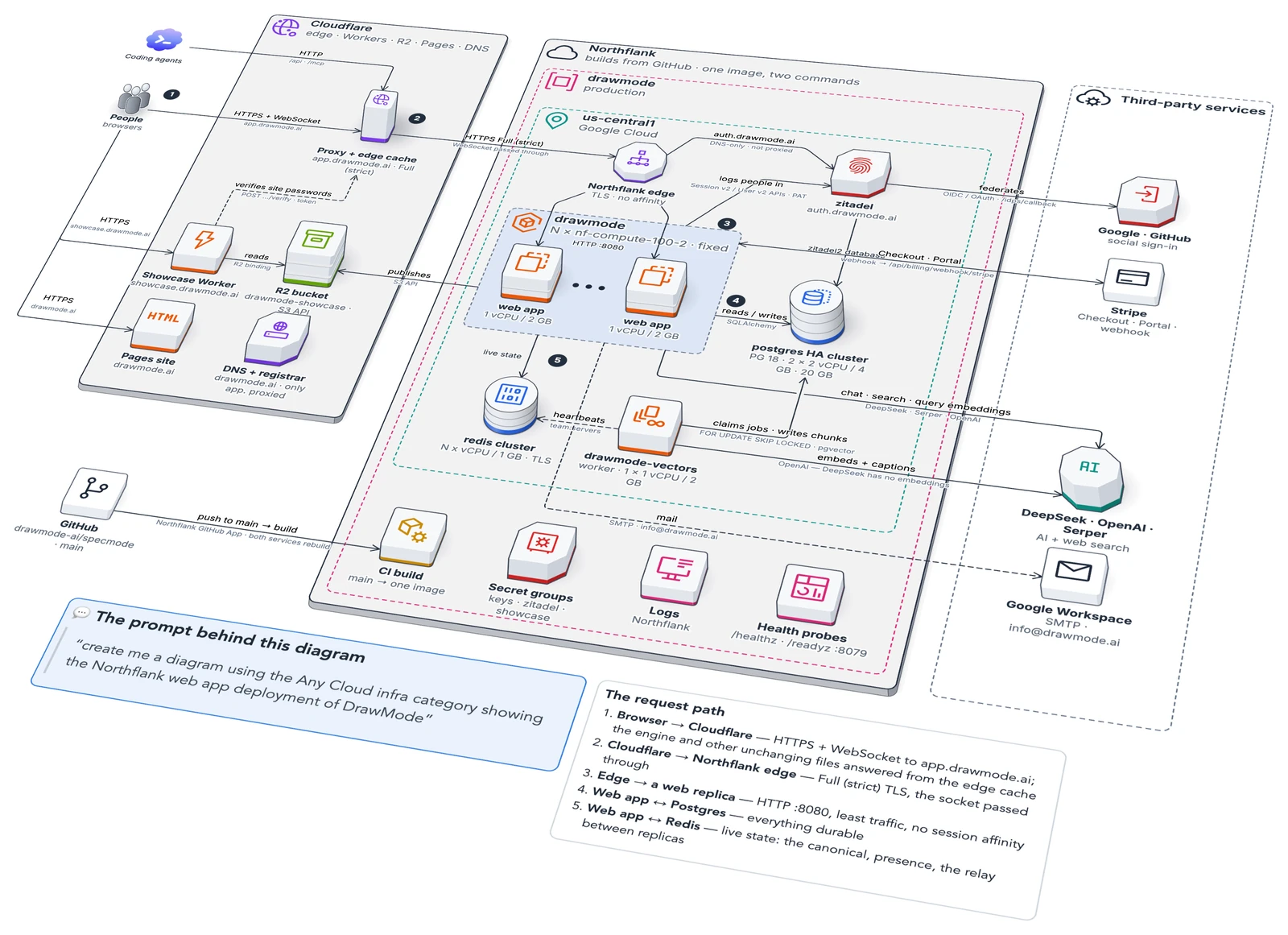
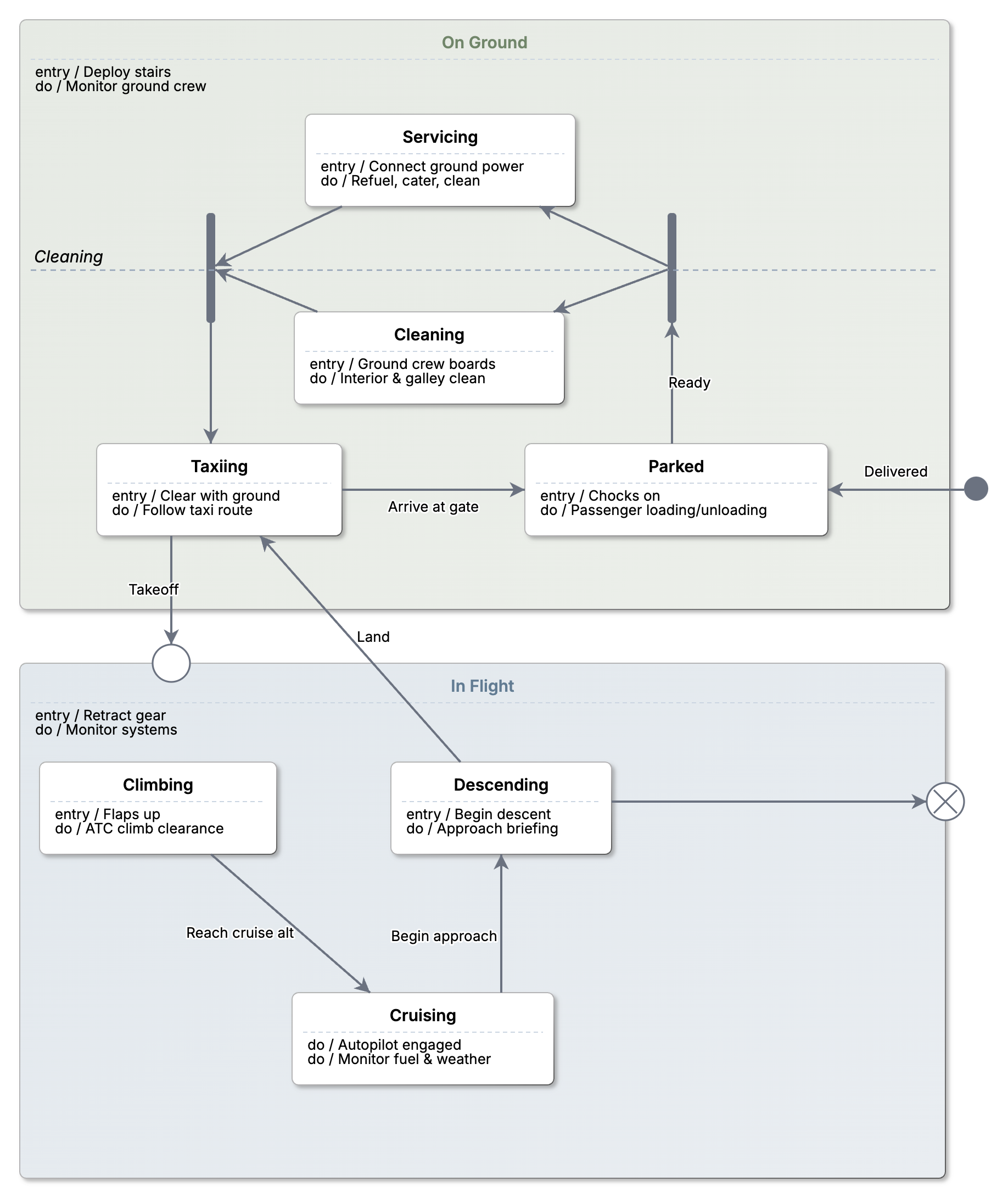
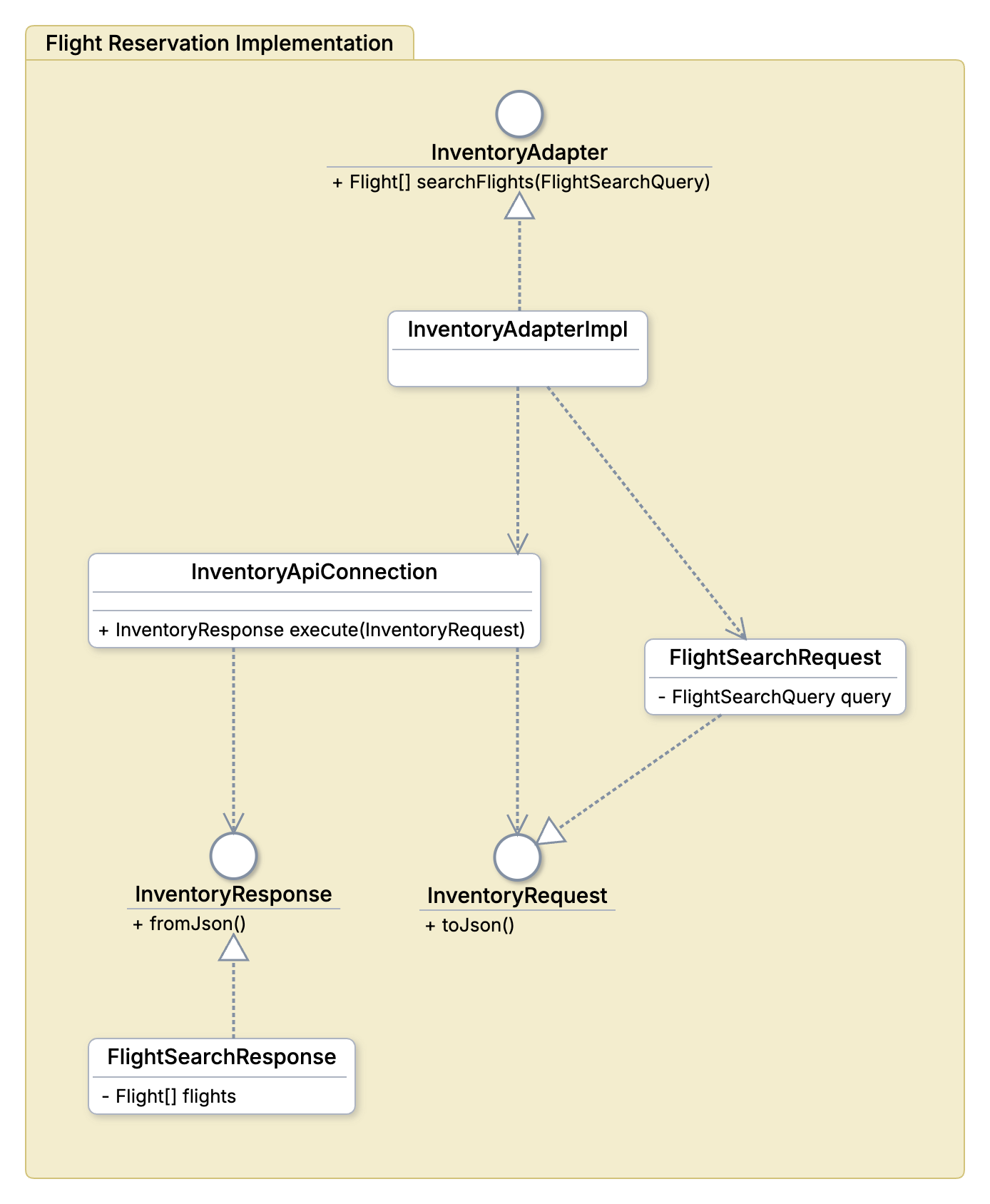
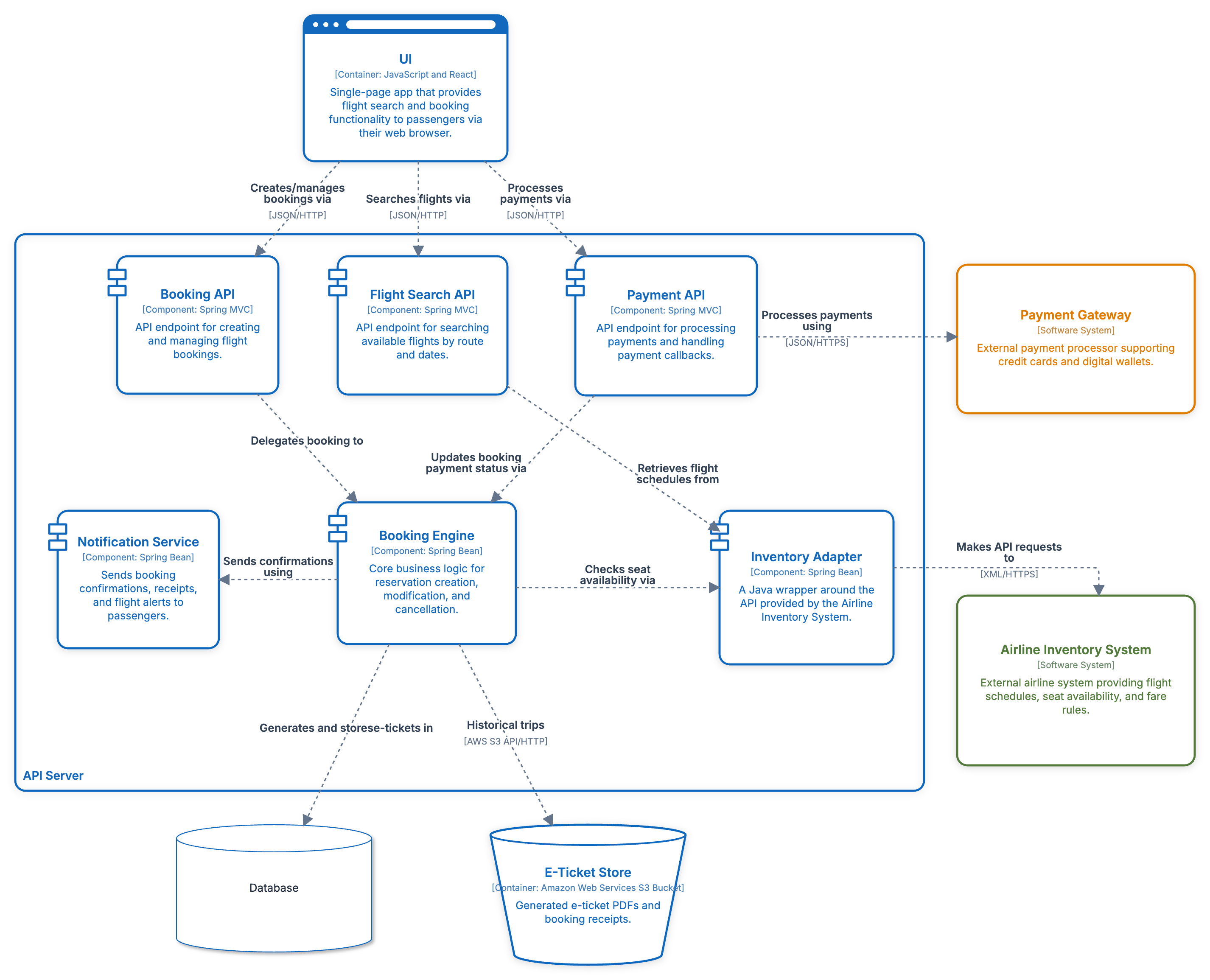
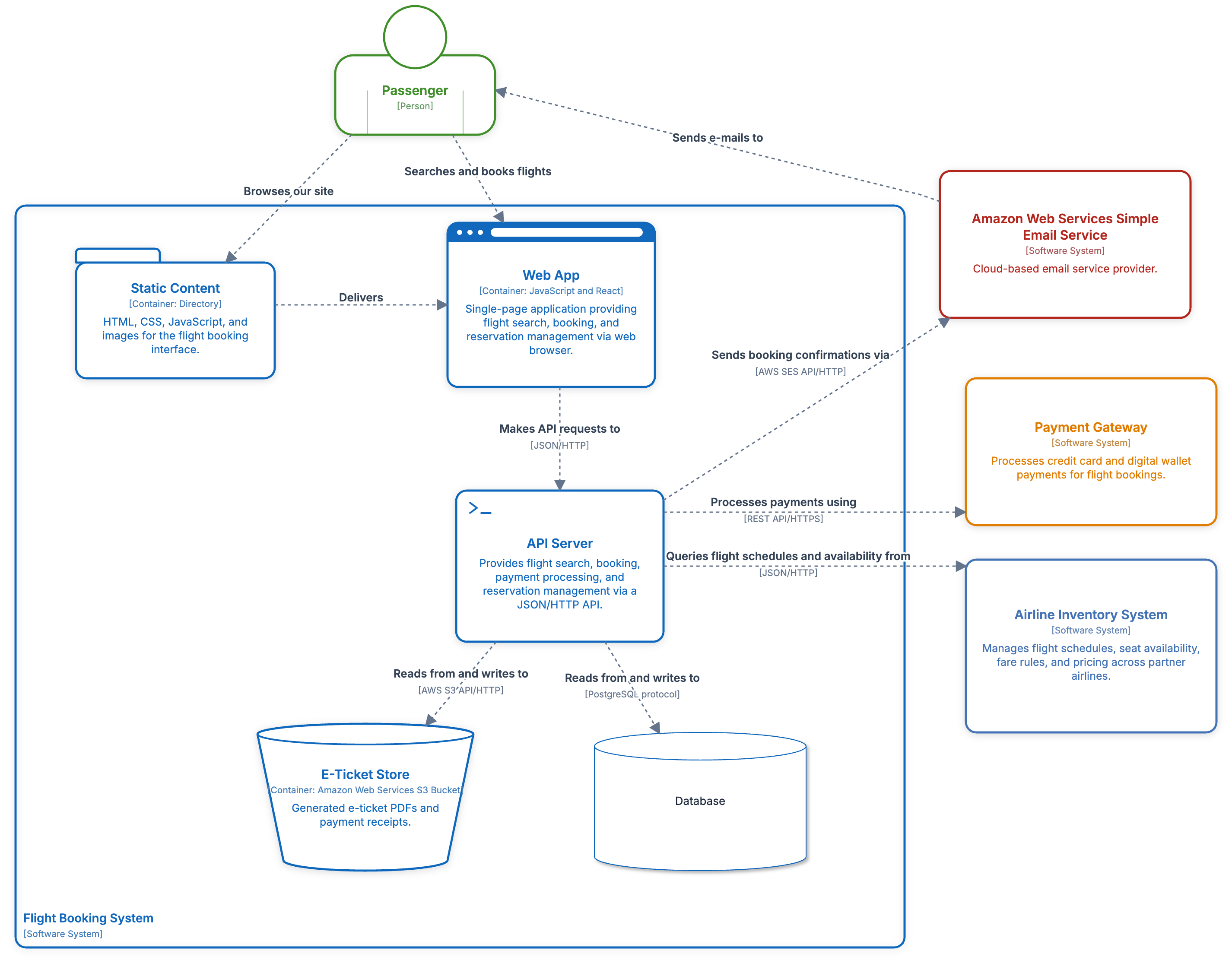
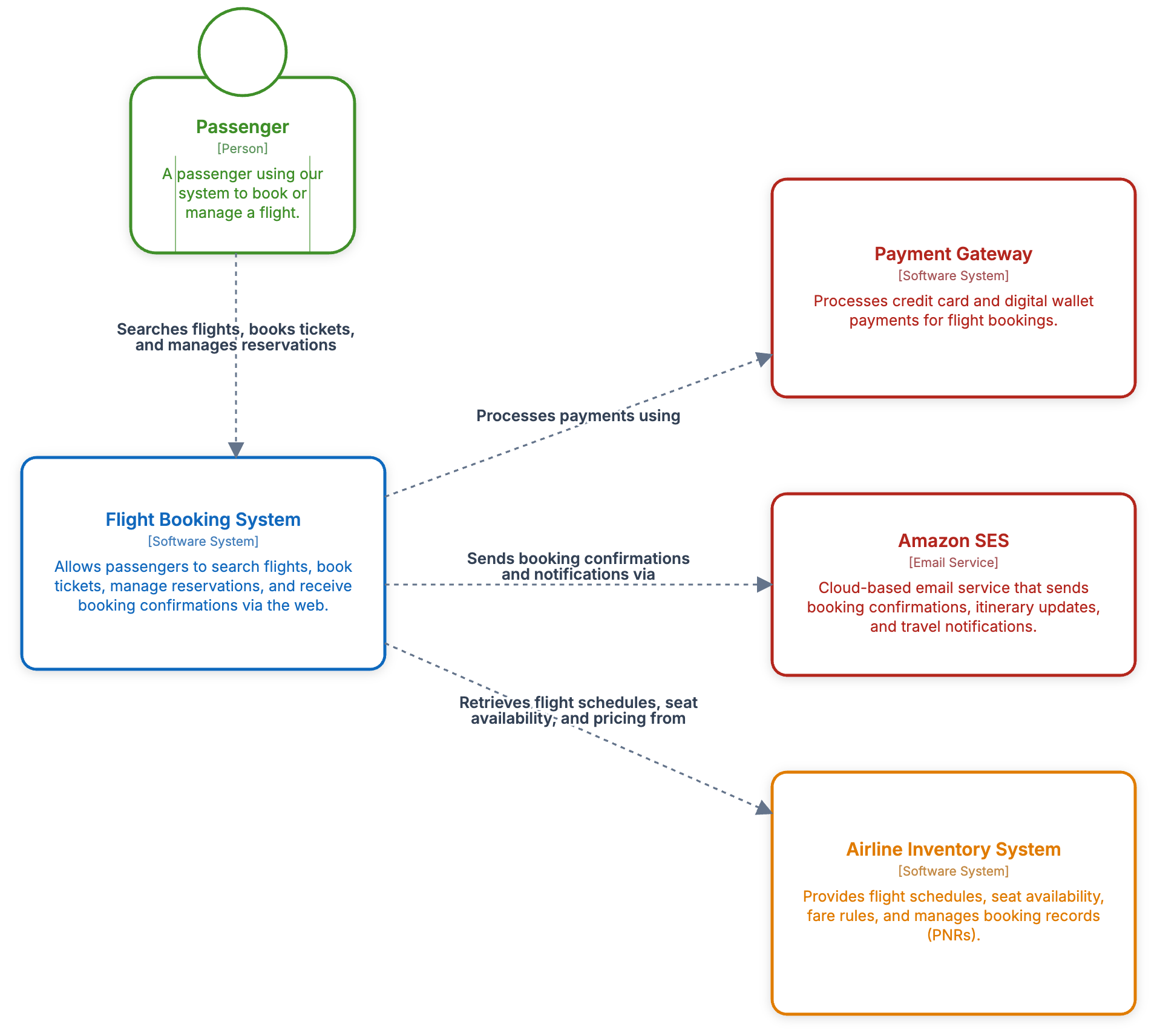
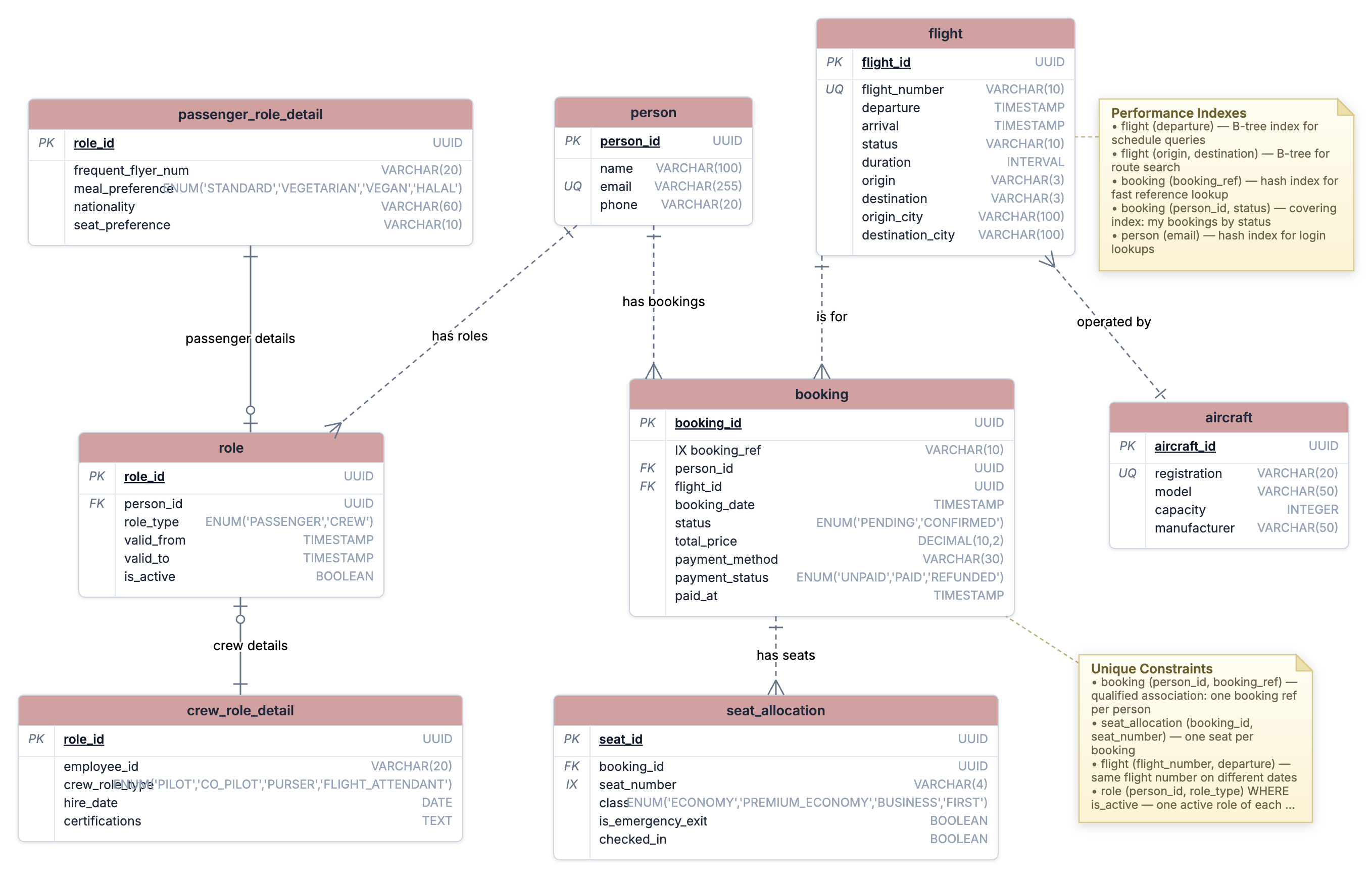
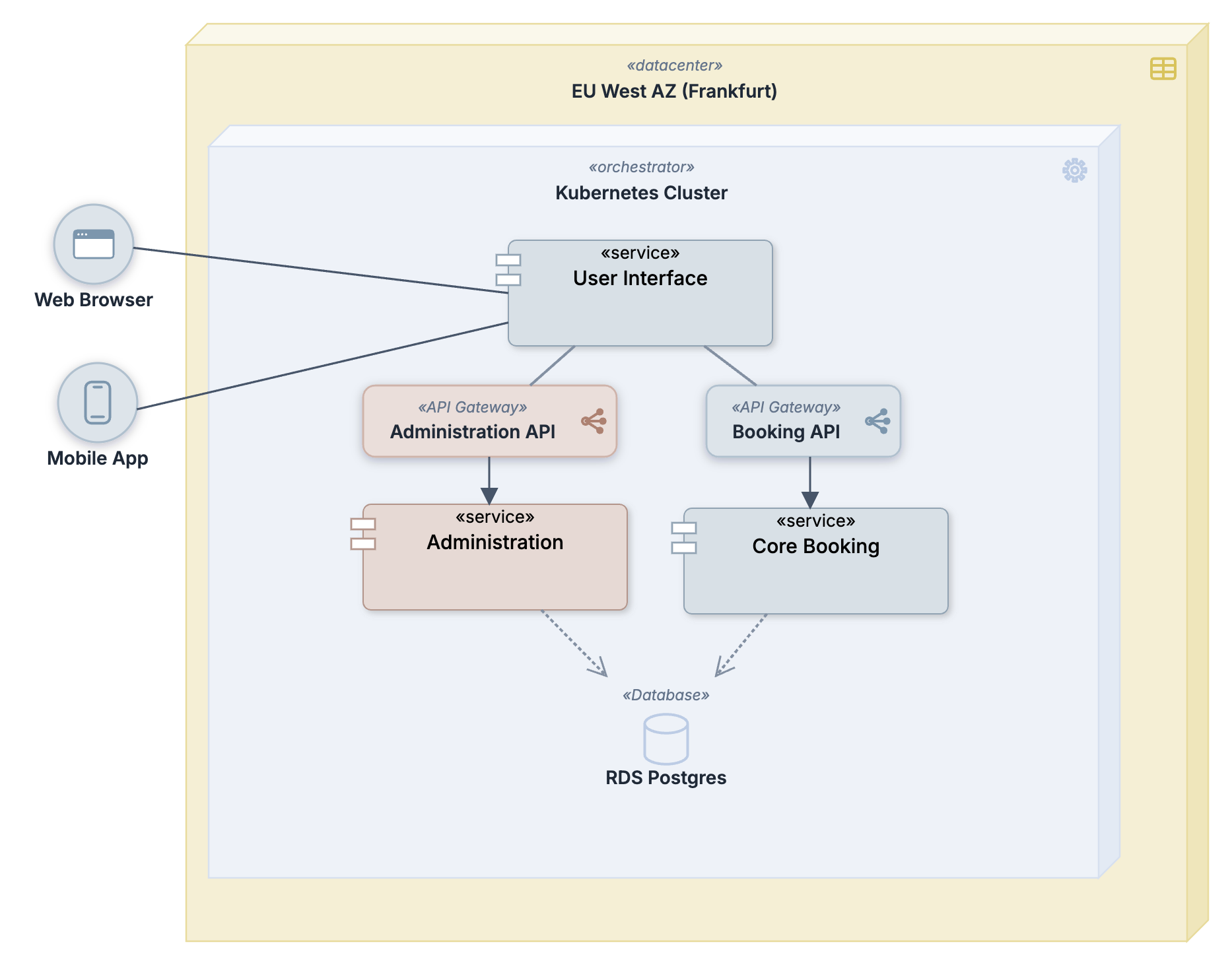
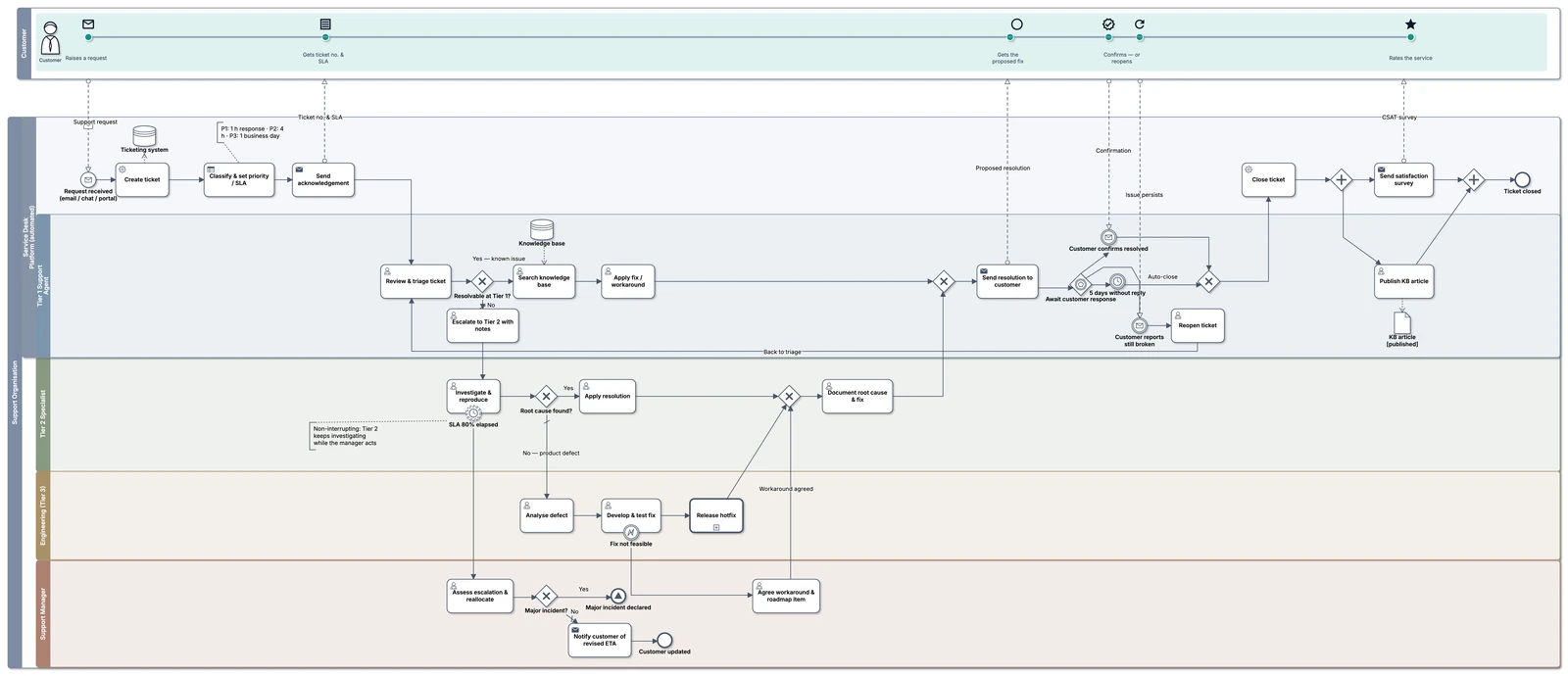
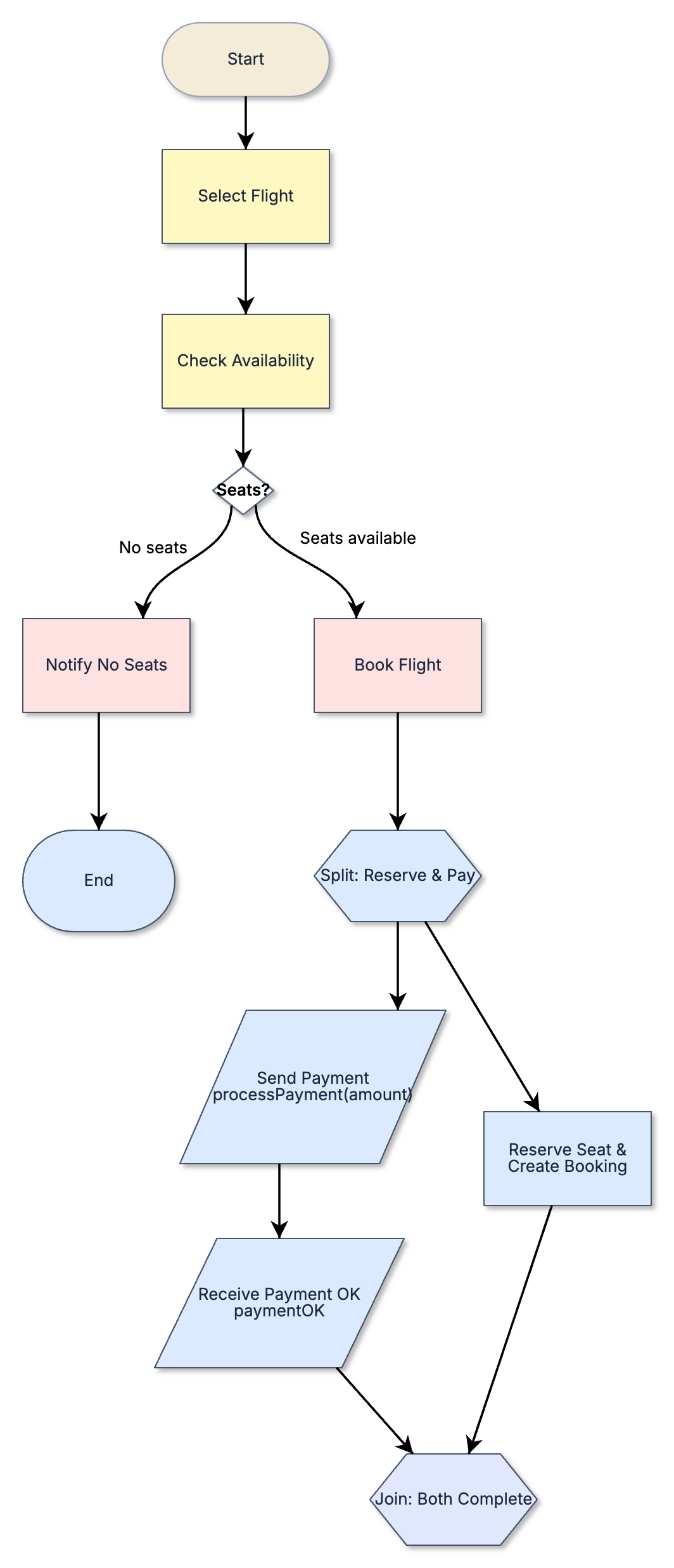
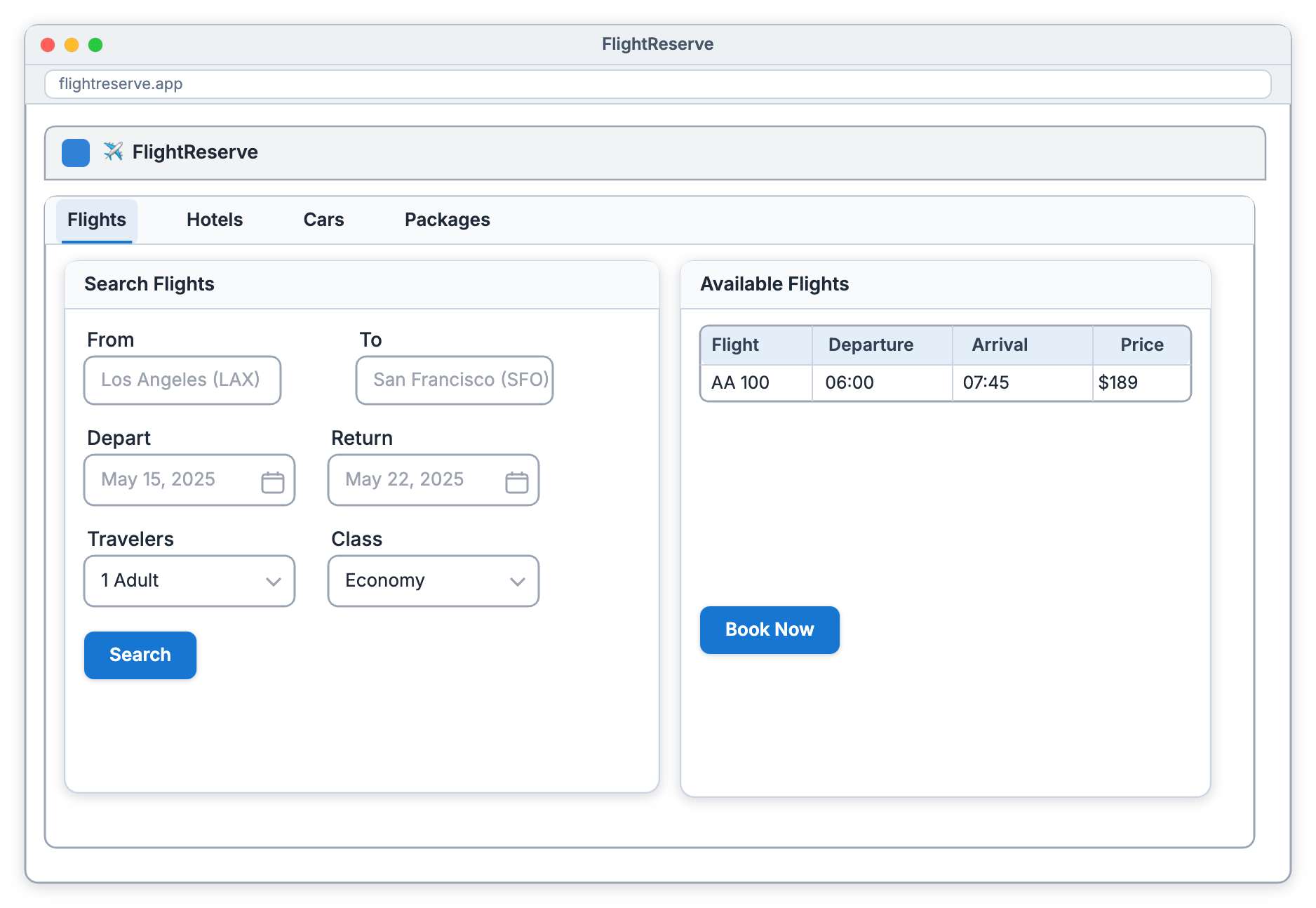
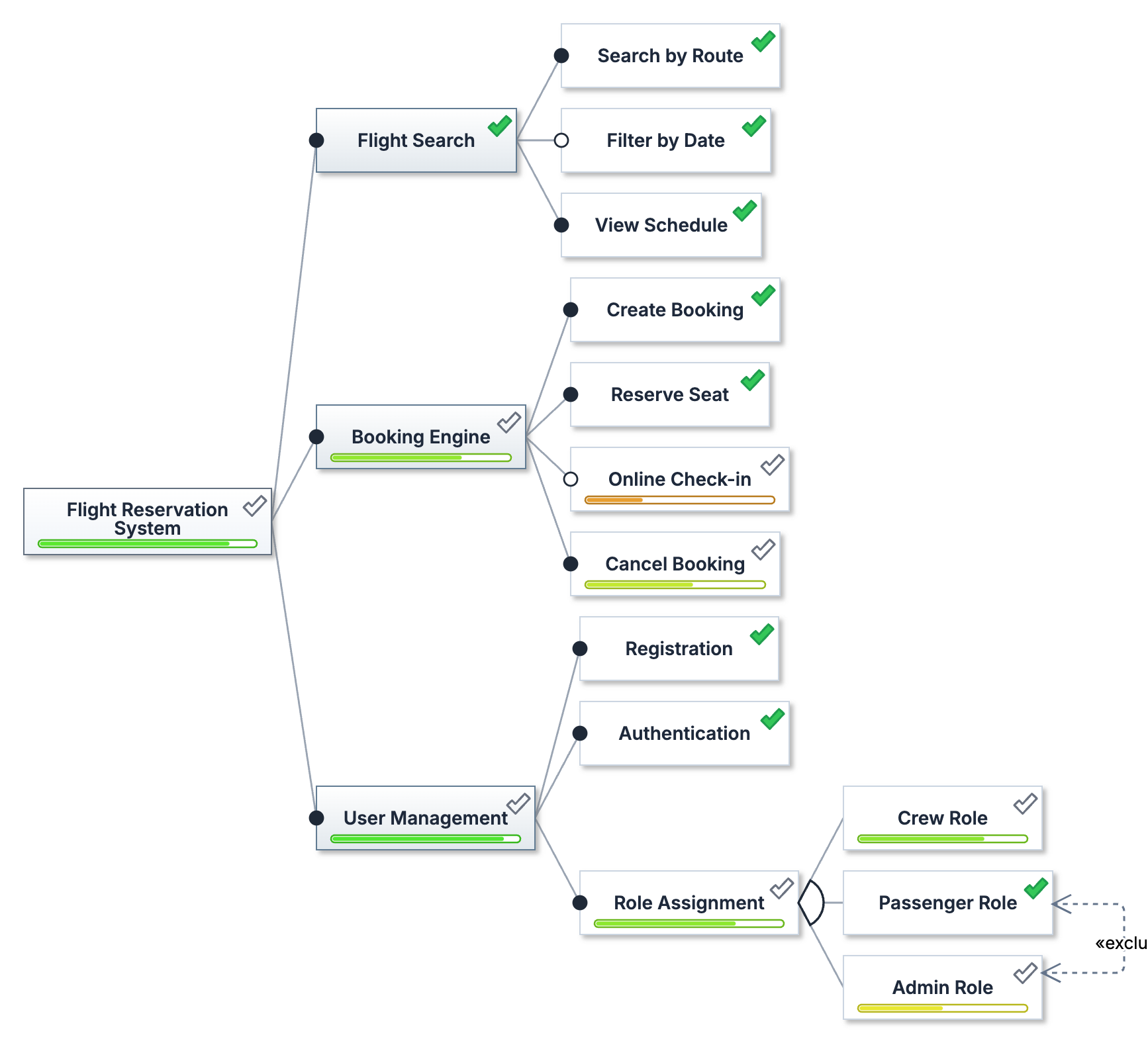
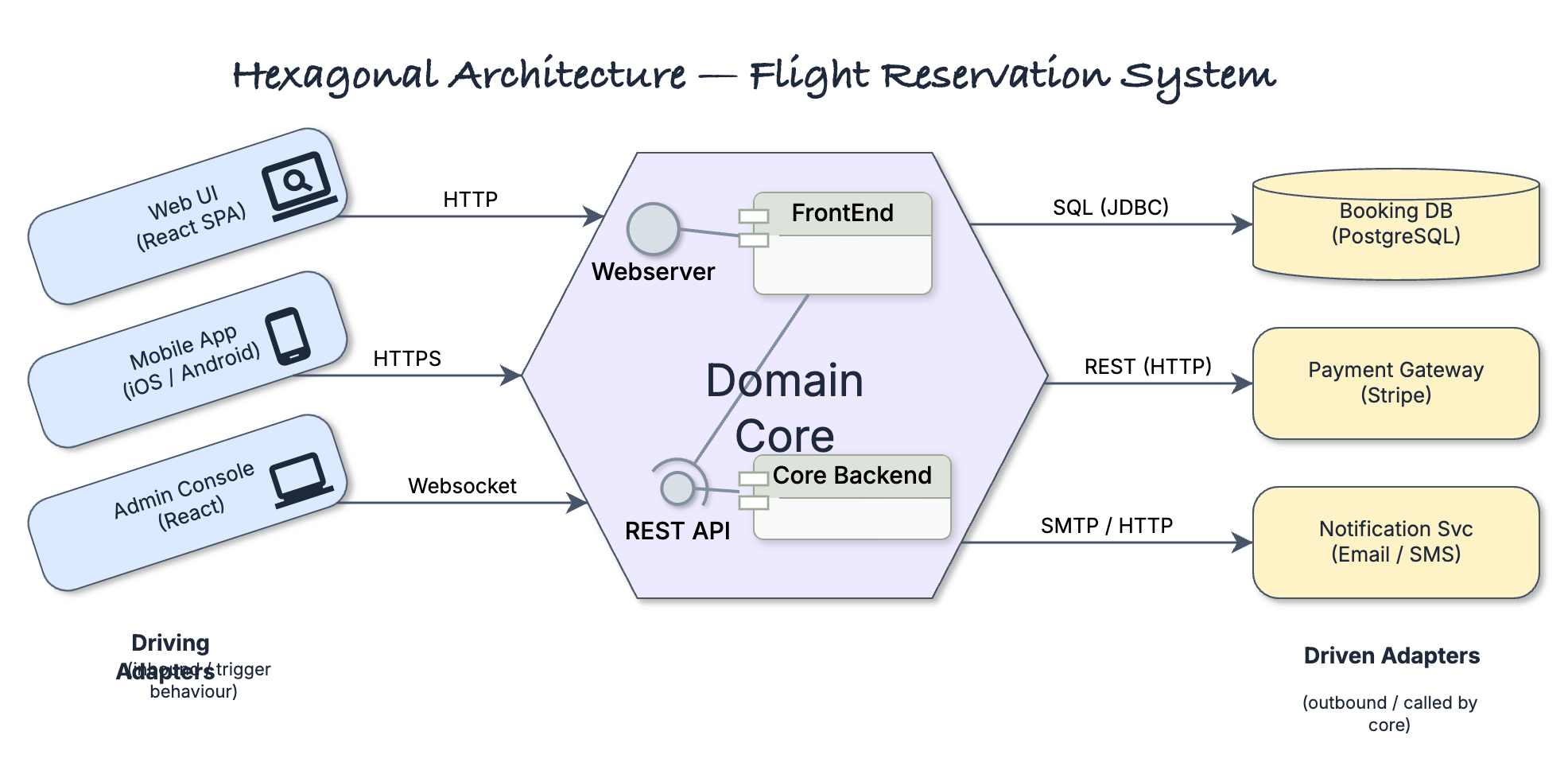
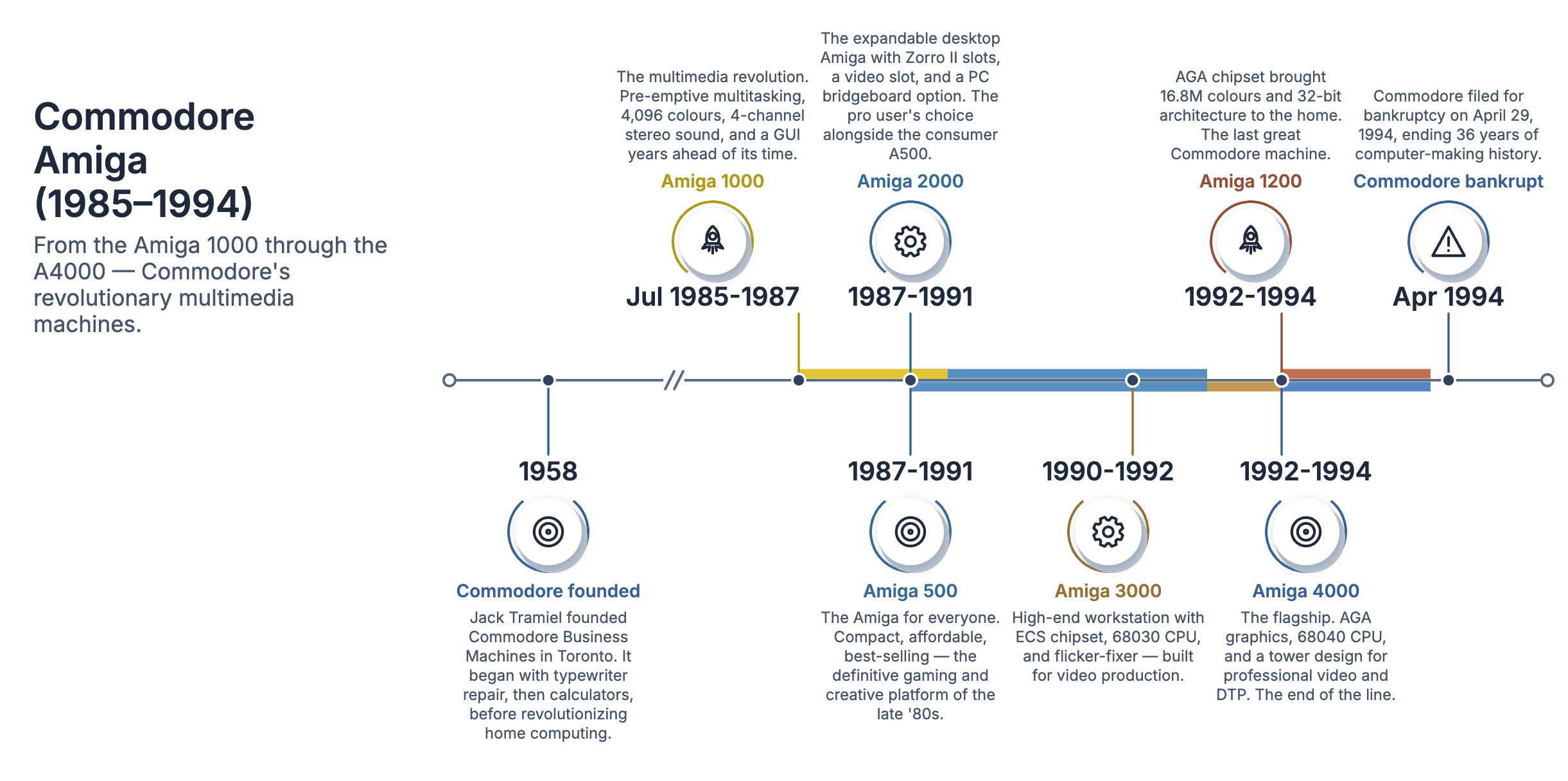
Also in the box: the remaining C4 views — System Landscape, C4 Deployment and the two Dynamic views (sequence and collaboration) — drawn with the same notation you see above; network maps; and AWS, Google Cloud and Azure architectures in each provider's own icons. And the set keeps growing: we're extending coverage to new diagram types all the time.
Introduction
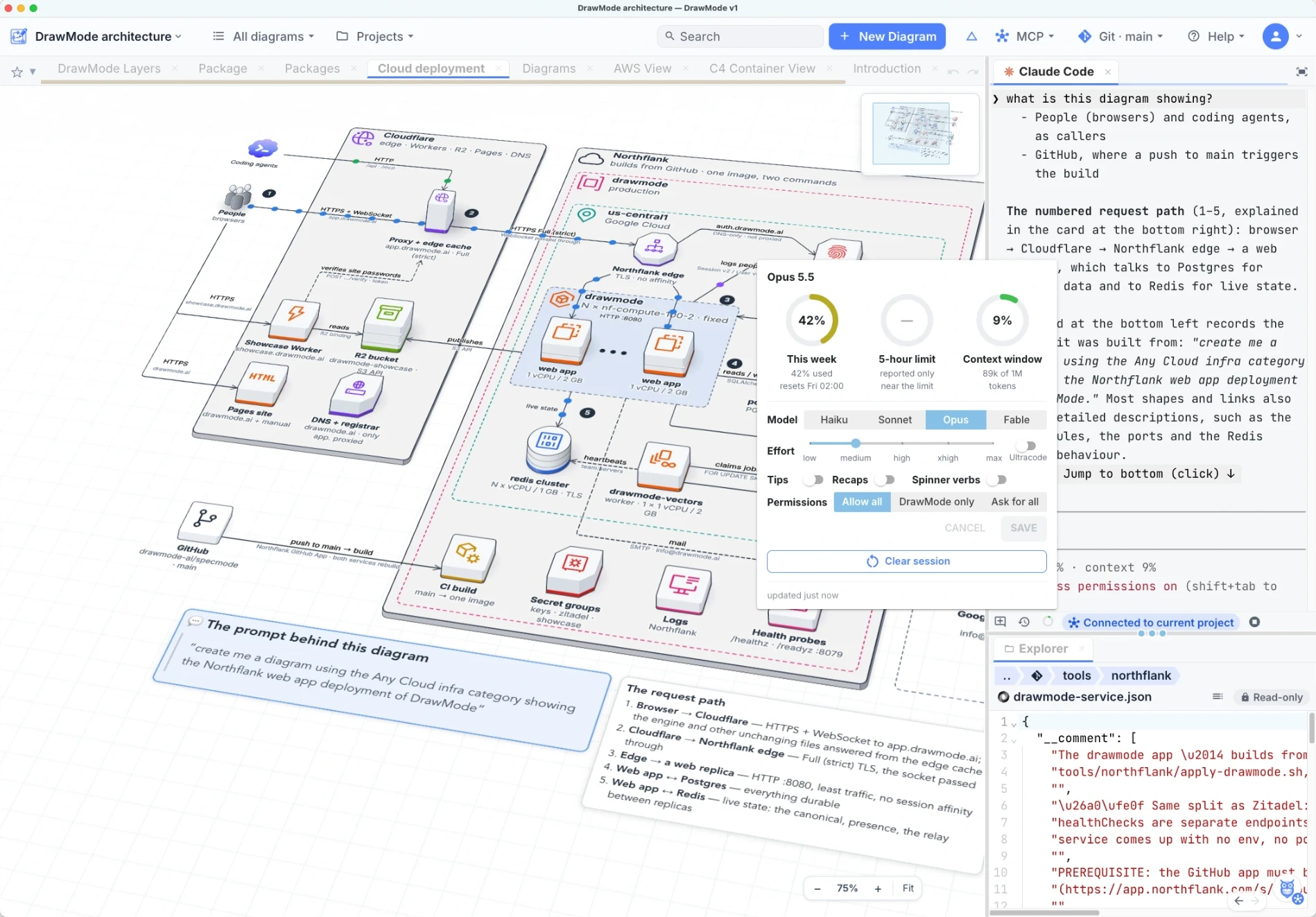
What DrawMode is, in three minutes: a tour of the desktop app through diagrams of DrawMode's own architecture, with Claude Code and the code beside them.
Editing & Working with Agents
The basics of working with an agent: Claude Code understands and can edit your diagrams, and follow instructions from any changes you make.
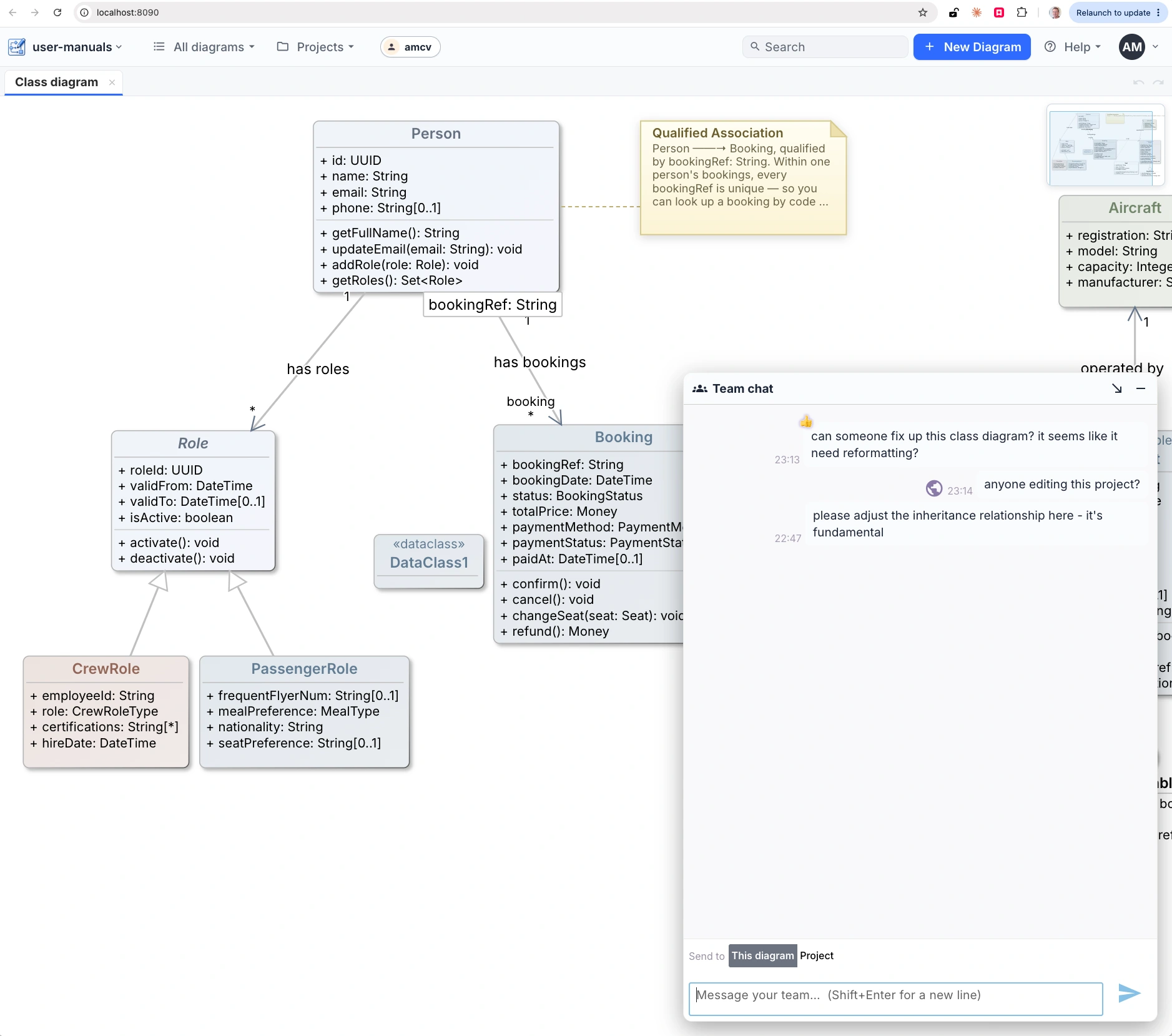
Desktop to Web Collaboration
Share a desktop project with someone in their browser: Collaborate on web… sends a link, and you both edit the same project and diagrams live, each seeing the other's cursor.
Beyond the diagrams themselves — the canvas, the exports and the team working around them. Click any shot for a closer look. (The assistant has a page of its own.)
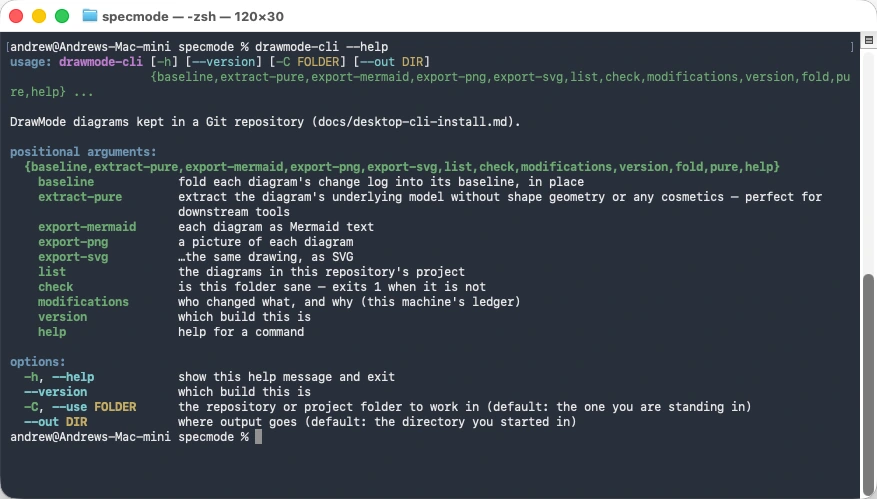
drawmode-cli from the desktop app — avatar menu ▸ Install command line
tool… — on macOS, Windows or Linux. It works on the diagrams in your Git repository with no app open,
so it fits a CI/CD pipeline.