Showcase

Here are a few of the diagrams we've created using DrawMode and Claude Code as we actually built the DrawMode system itself. In some cases, we drew up the architecture and components and directed the agent to adhere to the structure shown — in other cases we've asked Claude to explain how the system works for various use cases, so we can keep an eye on how the system is evolving.

Link to published Showcase

A person and an AI agent working on the same diagram together

DrawMode Layers

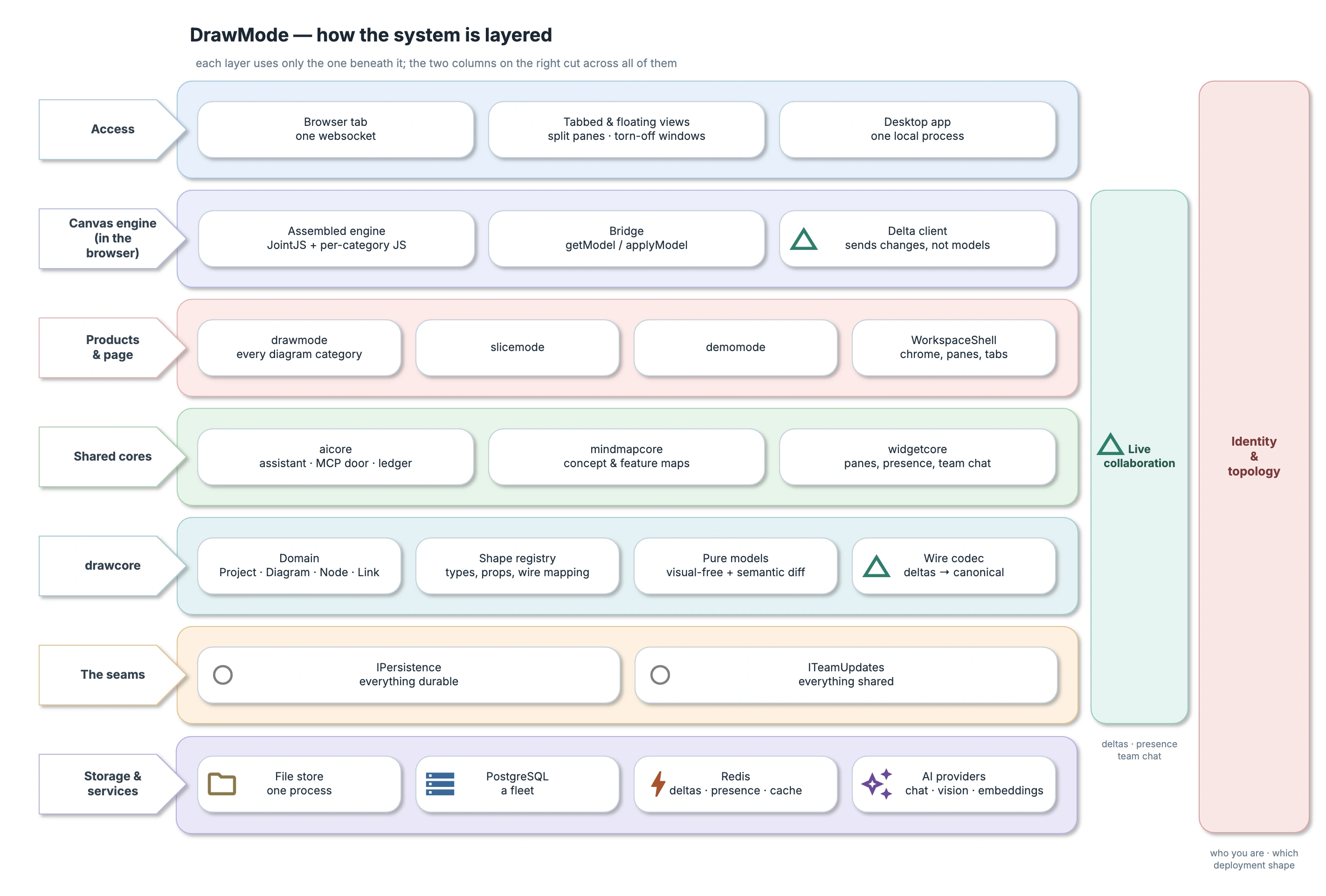
The prompt:

Create a layer diagram of the DrawMode system, focusing on the key interfaces, and how they enable different permutations of the web and desktop system.

A layer diagram of DrawMode: access, the canvas engine, the products, the shared cores, drawcore, the seams and storage, with live collaboration and identity down the side
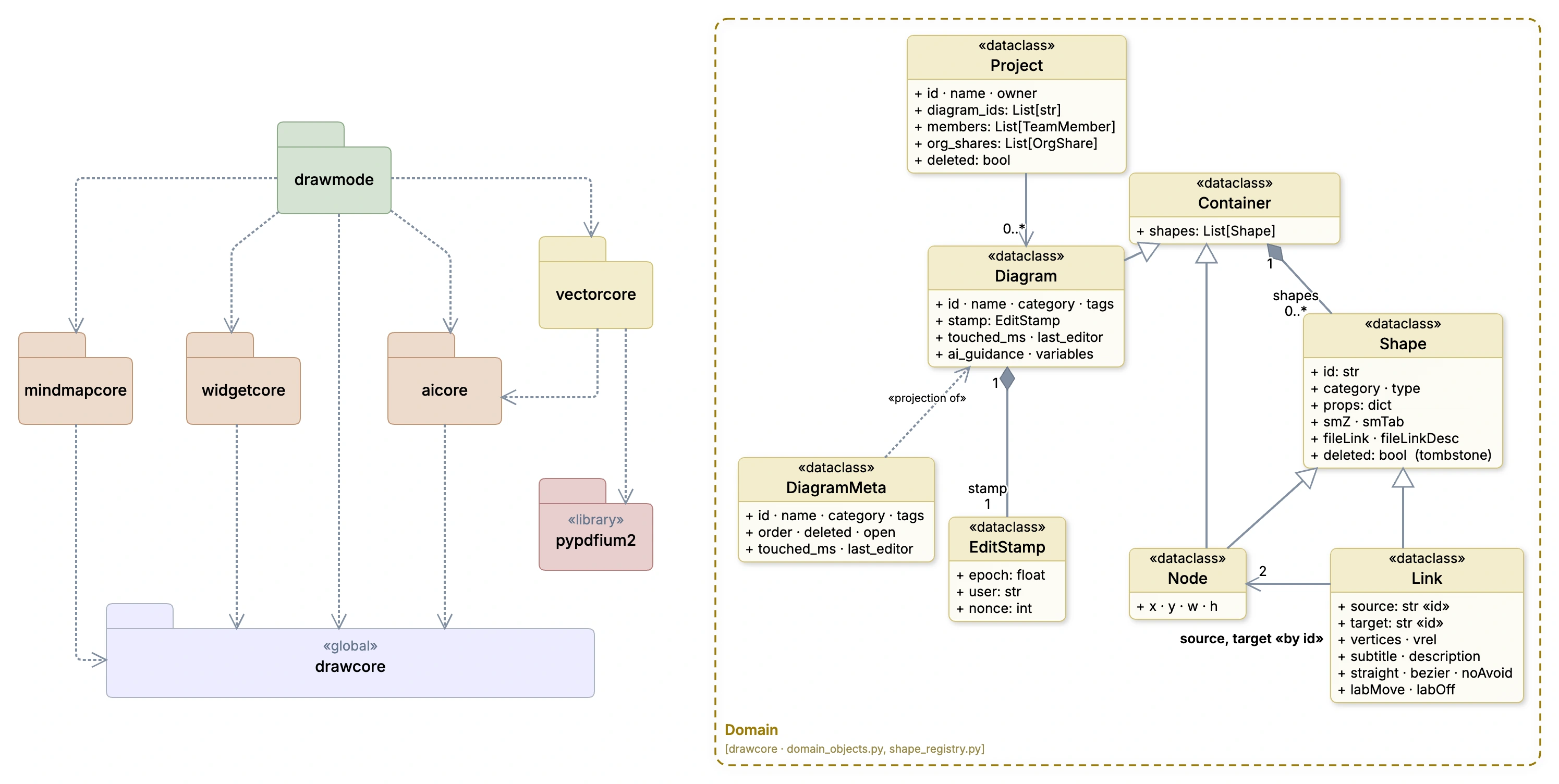
DrawMode's packages — drawmode over mindmapcore, widgetcore, aicore and vectorcore, all resting on drawcore — beside the domain model of Project, Diagram, Container, Shape, Node and Link

Packages

This was drawn to direct the agent to create DrawMode as a set of packages so I can reuse the parts in other projects. The domain model on the right is reverse engineered from code I wrote at the start of the project, intended to direct the agent for the drawing functionality I wanted.

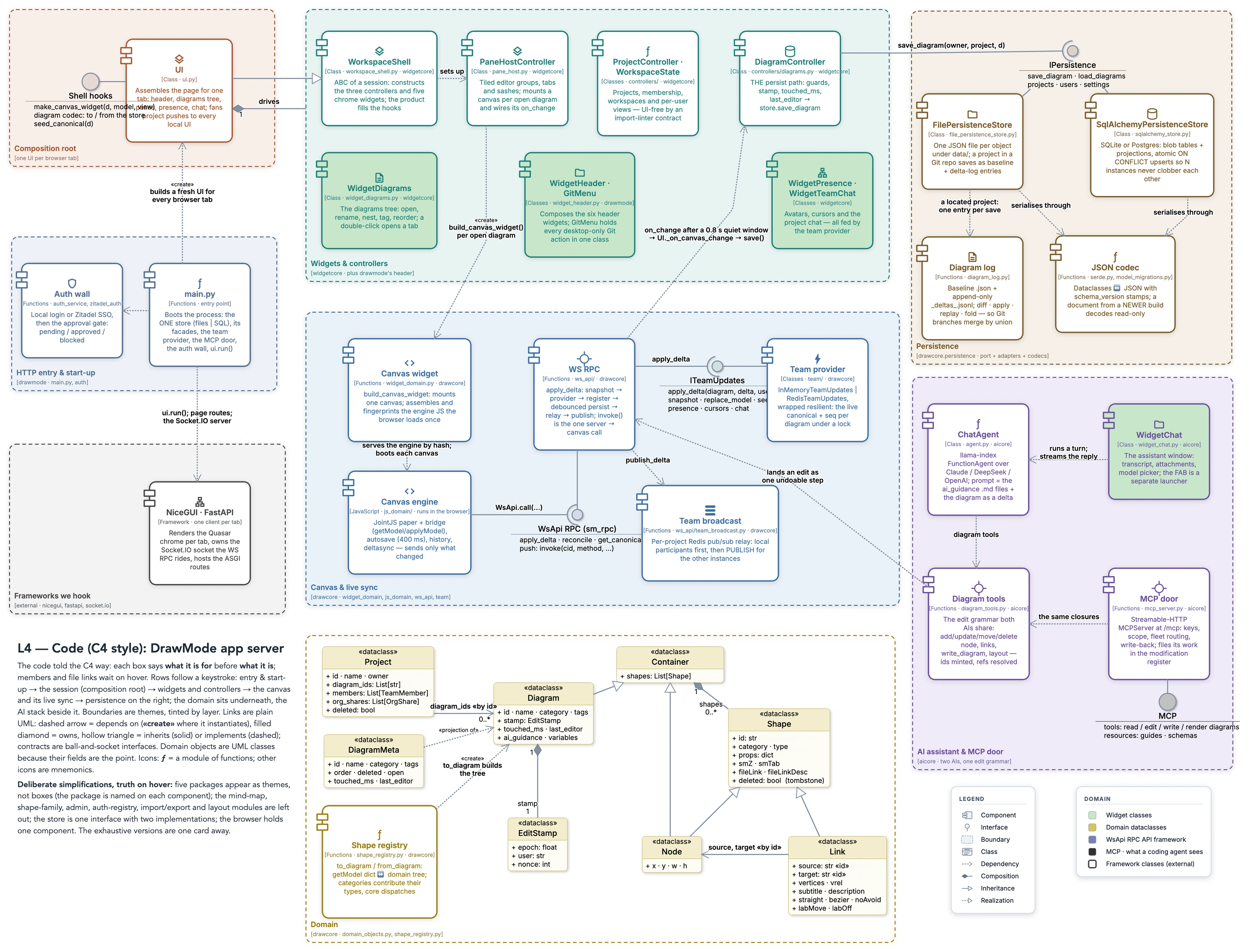
C4 Components + Domain

The prompt:

Create me a C4 component diagram of the main components of the system, focusing on the interfaces / seams for persistence and team collaboration. Add the core diagram domain model underneath as a UML class diagrams.

A C4 component diagram of DrawMode's main components and the seams for persistence and team collaboration, with the core diagram domain model as a UML class diagram underneath
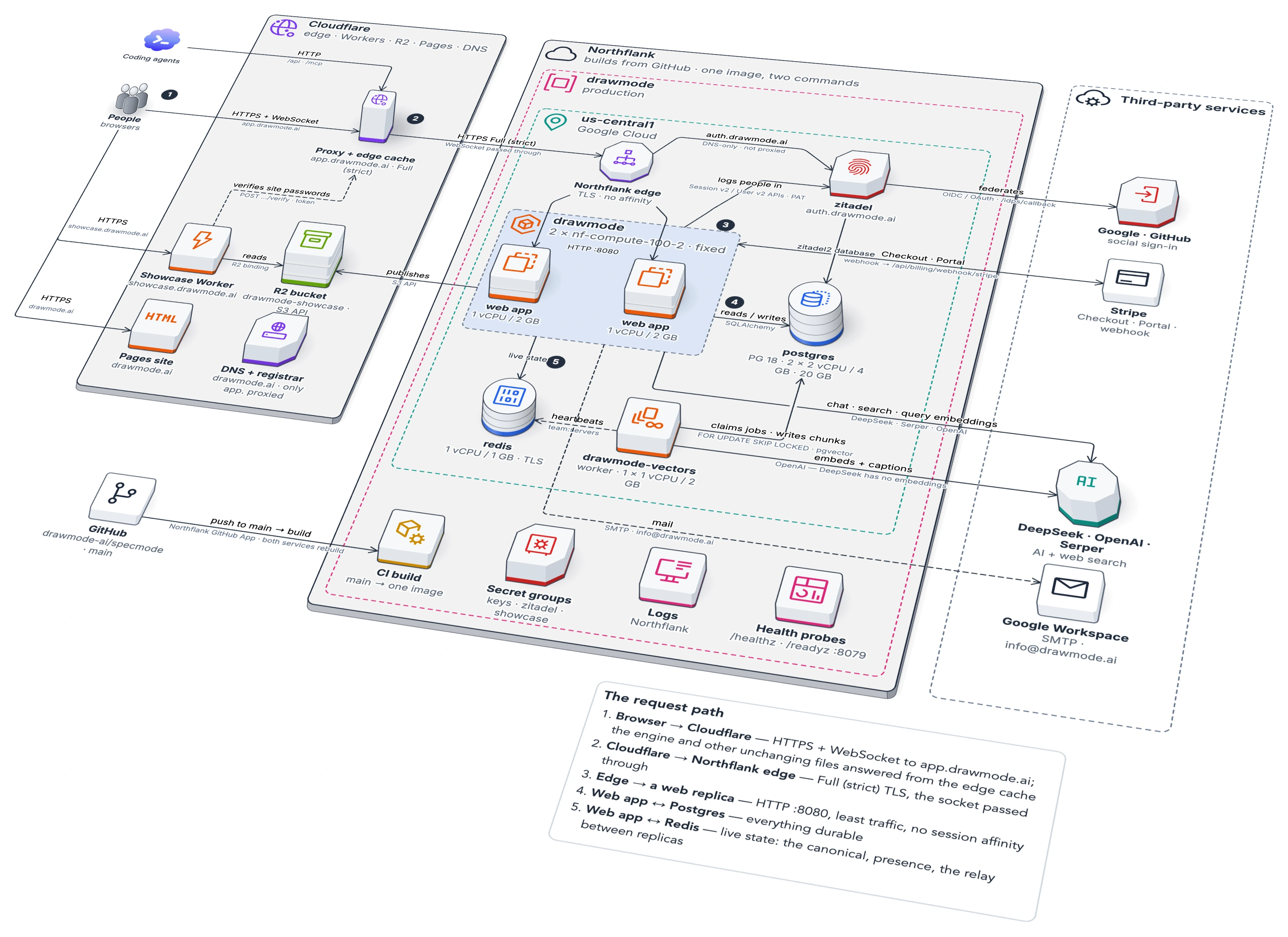
DrawMode's web deployment drawn isometrically in the Any cloud notation: Cloudflare in front of Northflank, with the web replicas, Postgres, Redis and the third-party services

WebApp Deployment

The prompt:

“create me a diagram using the Any Cloud infra category showing the Northflank web app deployment of DrawMode”

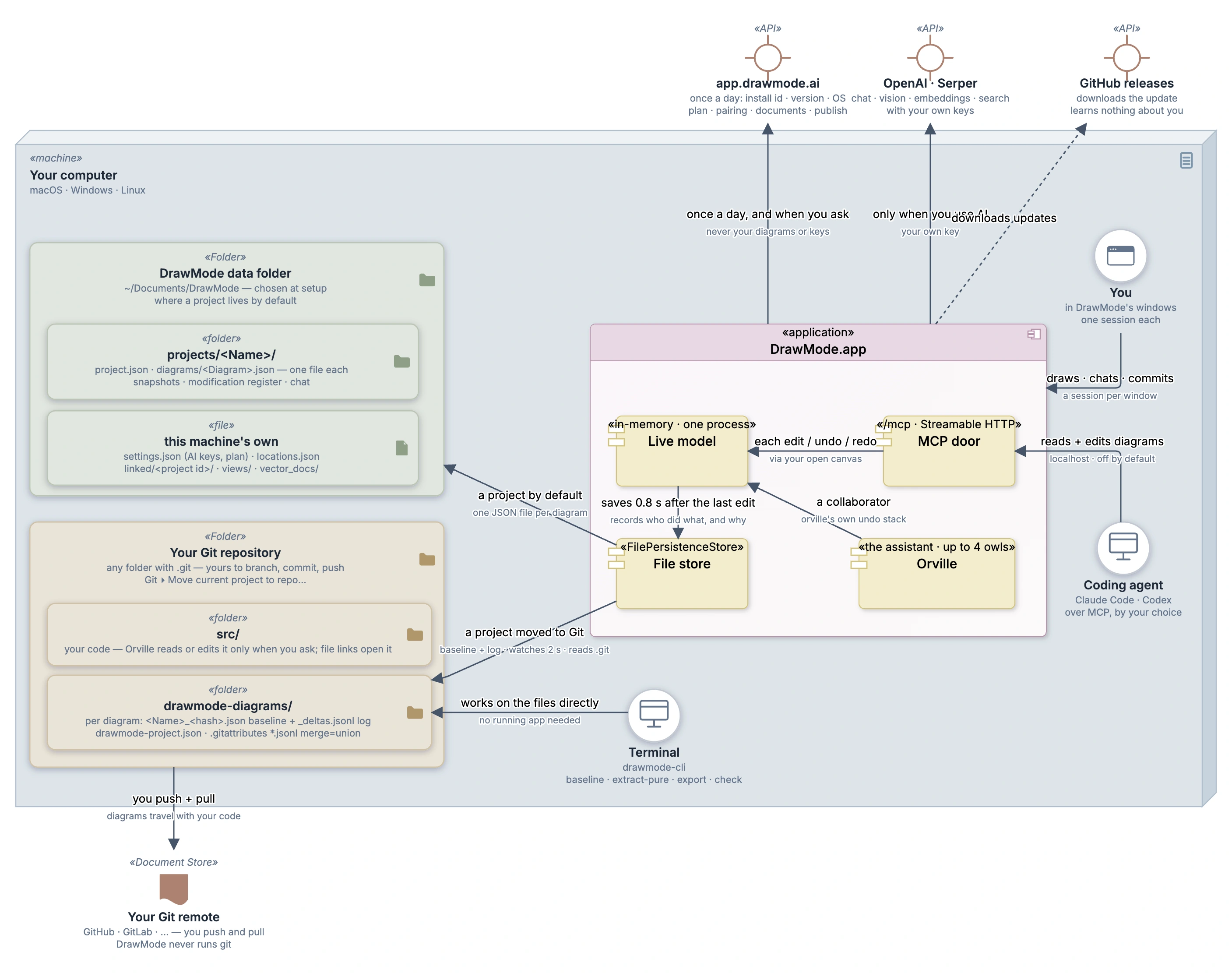
UML desktop deployment

The prompt:

Create me a UML deployment diagram showing how the app is installed on the machine, and what folders and systems it interfaces with.

A UML deployment diagram of DrawMode installed on a computer: the app, its data folder, the Git repository it keeps diagrams in, and the systems it talks to
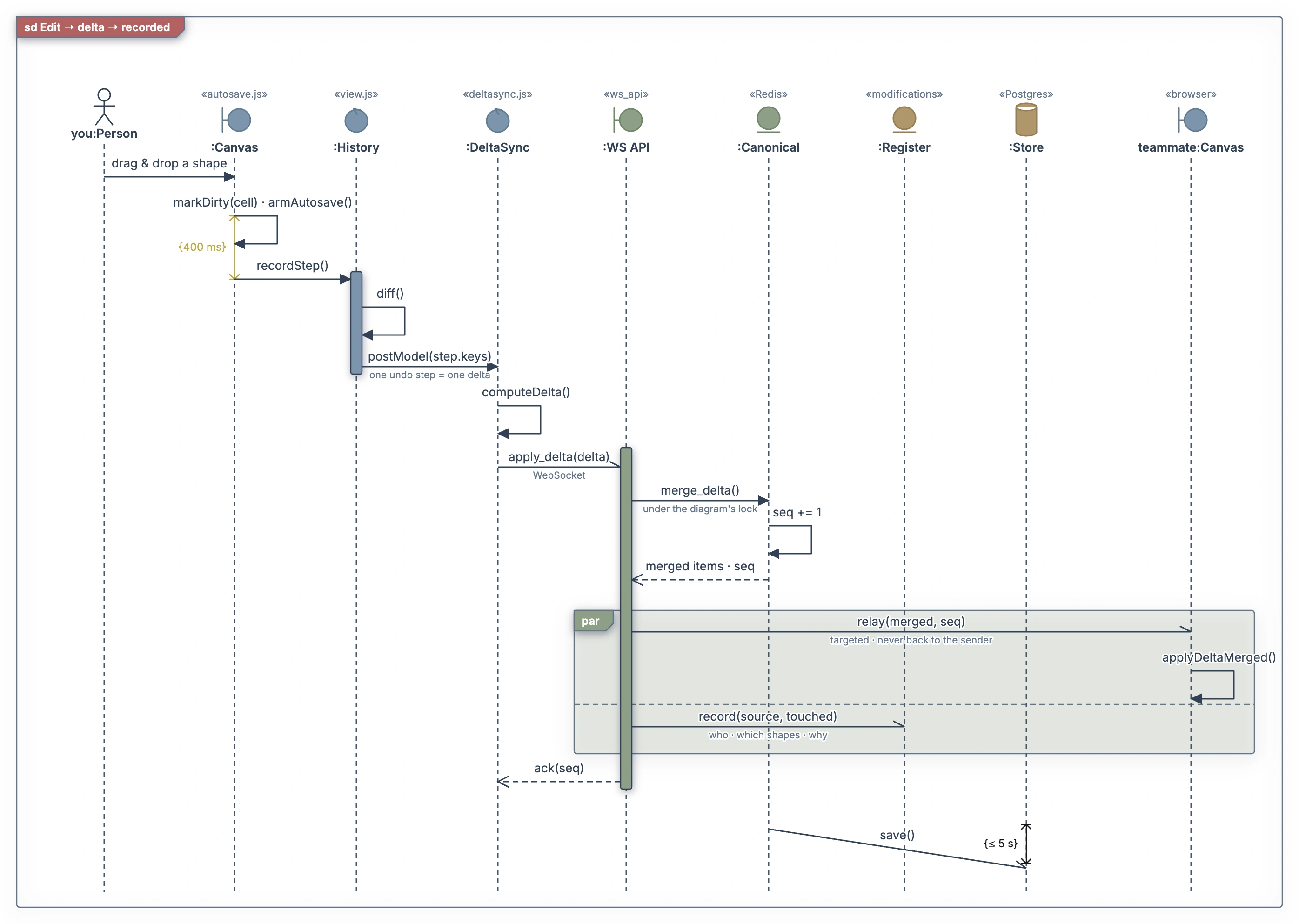
A UML sequence diagram of one edit becoming a delta: the canvas's debounce, one undo step, the delta sent over the WebSocket, merged, relayed to a teammate and recorded in the register, then saved

UML Sequence

The prompt:

Create me a sequence diagram, with no more than 10-15 calls in it showing how an edit translates into a delta that is recorded in the webapp. Put in some duration constraints, and a execution bar or 2 and use color.